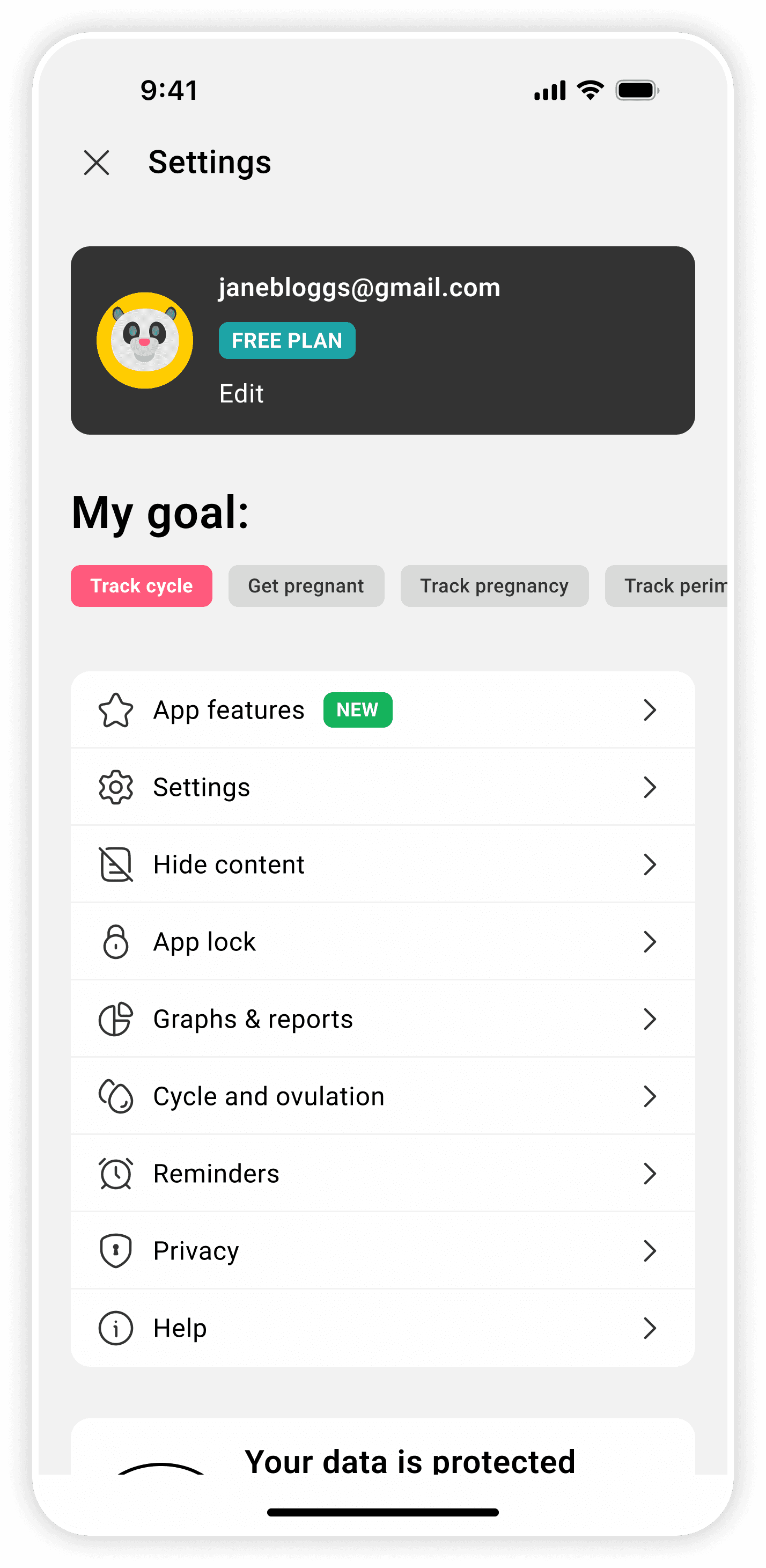
Background
With ~280M users worldwide and unicorn status, Flo has become the most-used health and fitness app globally for menstrual cycle and fertility tracking. But despite broad adoption and a strong brand, user feedback indicated that navigation, logging, and feature clarity weren’t always keeping up with expectations.
Challenge
User interviews revealed two pressing issues:
Constrained symptom tracking — users lack the options to fully represent their experiences or track symptom nuances.
Low awareness of app features — both free and Premium users struggled to understand the app’s full value, undermining satisfaction and revenue.
Solution
I designed:
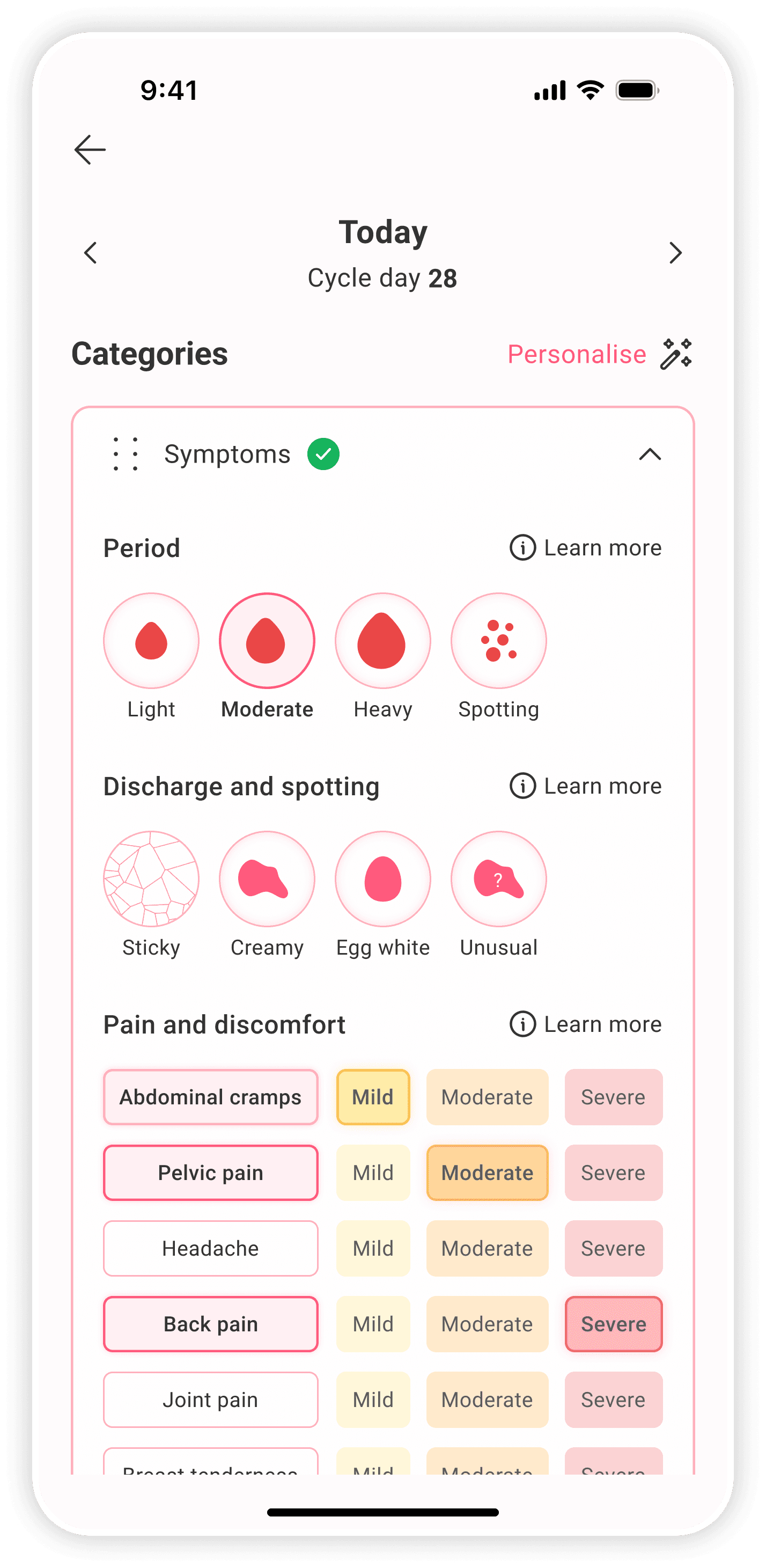
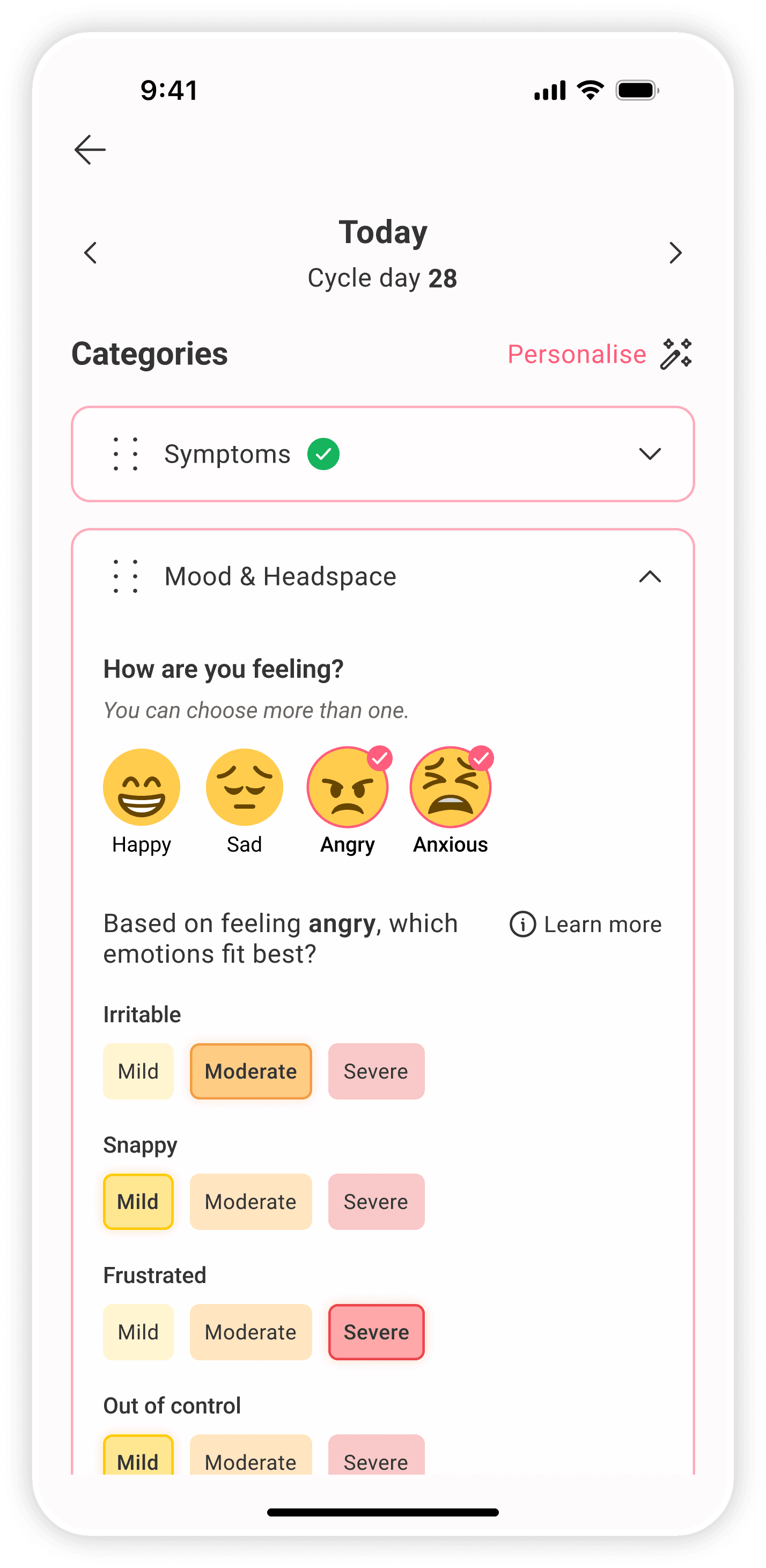
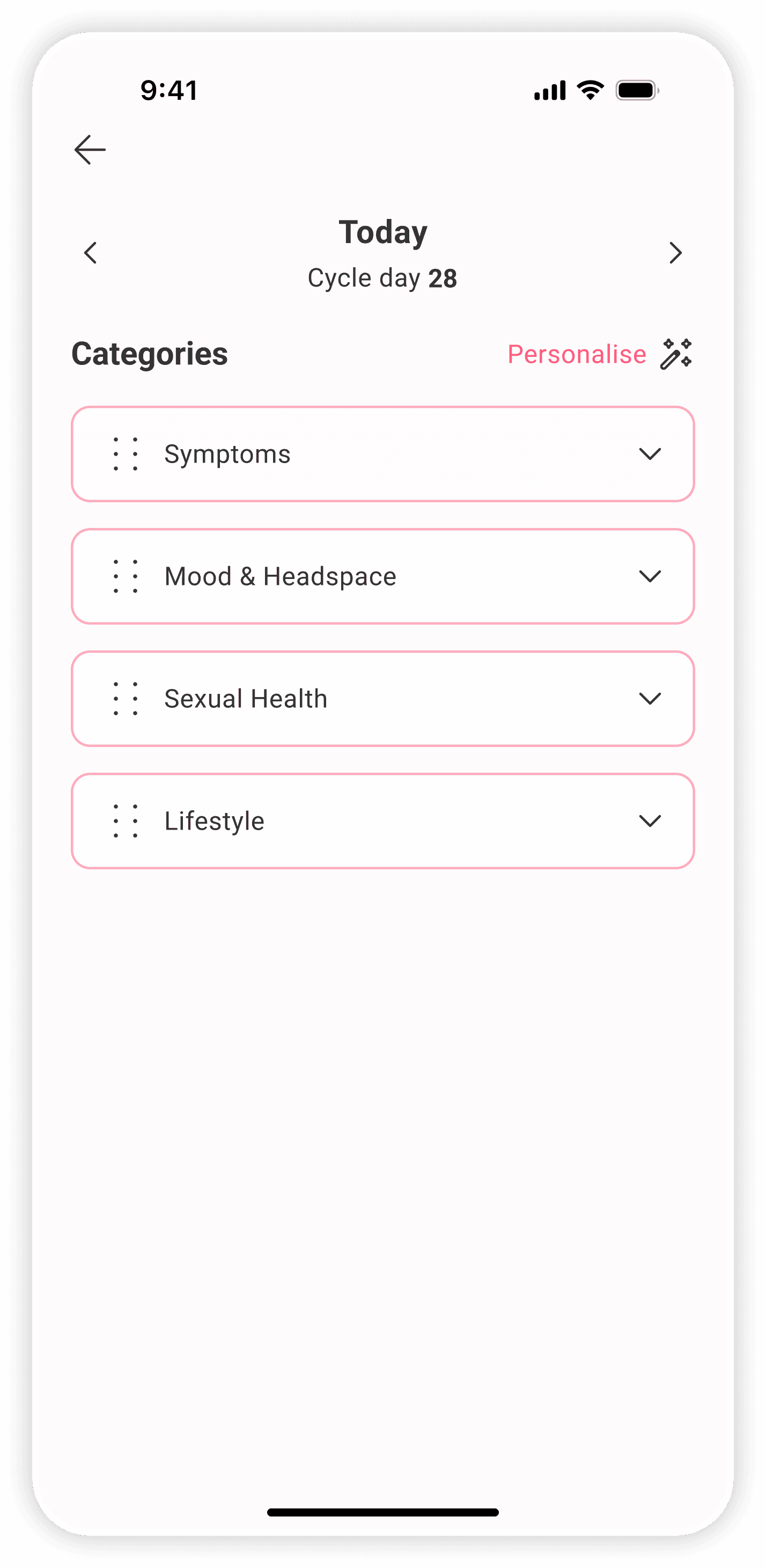
A more flexible, representative logging flow to suit both casual and power users.
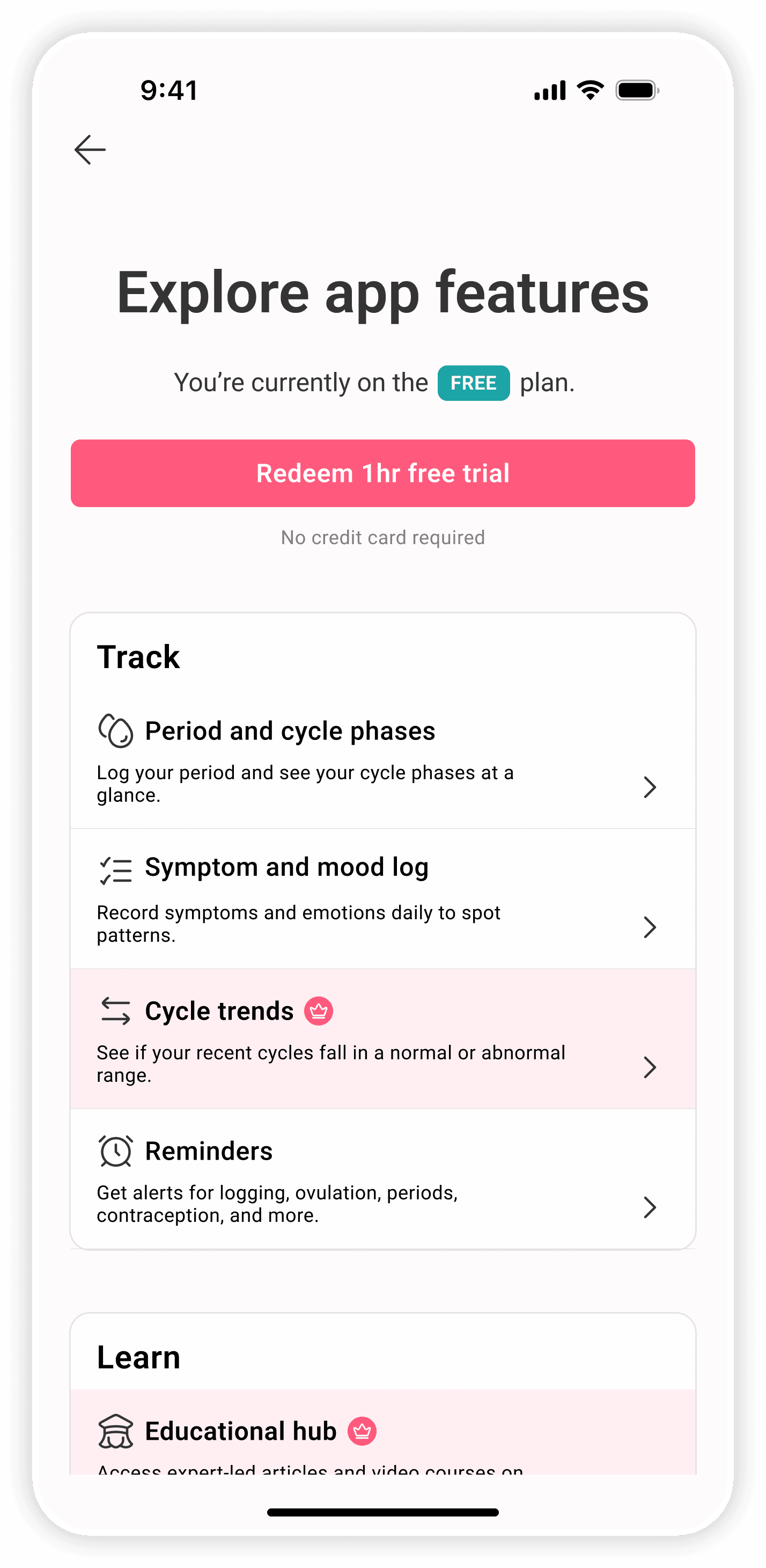
A feature discovery experience that gently surfaces app features, distinguishing between free and Premium to encourage Premium adoption.
Competitor analysis
As the undisputed leader in its category, competitive and secondary research showed that Flo's strength was breadth, but this risked cascading into scope bloat and unclear value.
User research
Through interviews with free and Premium users, I identified two distinct user archetypes:
Power users
Investigative Indias
Curious, detail-oriented users who track symptoms related to suspected or diagnosed health conditions; they value data, education and insights.
Casual users
Empowered Esmes
Quick, “in and out” users; just want to know cycle phase, log flexibly, and efficiently find information if and when the need arises.
To anticipate and gain control over cycle-related symptoms
Flexible, accurate symptom logging
Transparent Premium vs. Free value proposition
Problem synthesis
This combination of limitations surfaced a wider experience problem: valuable tools were present, but underused due to how they were framed and accessed.
Collectively, these insights revealed an experience gap that called for reframing, shaping the core design questions:
How might we make symptom logging accurate and flexible, yet simple — so users feel represented and supported, and the app gains more valuable data to drive engagement?
How might we clearly show Premium benefits in a simple, relevant way — so free users see the value of upgrading and paying users know how to get the most from their subscription?
Ideation & prioritisation
Using the MoSCoW method, I assessed which features would best:
Provide value for both personas
Balance impact vs. effort
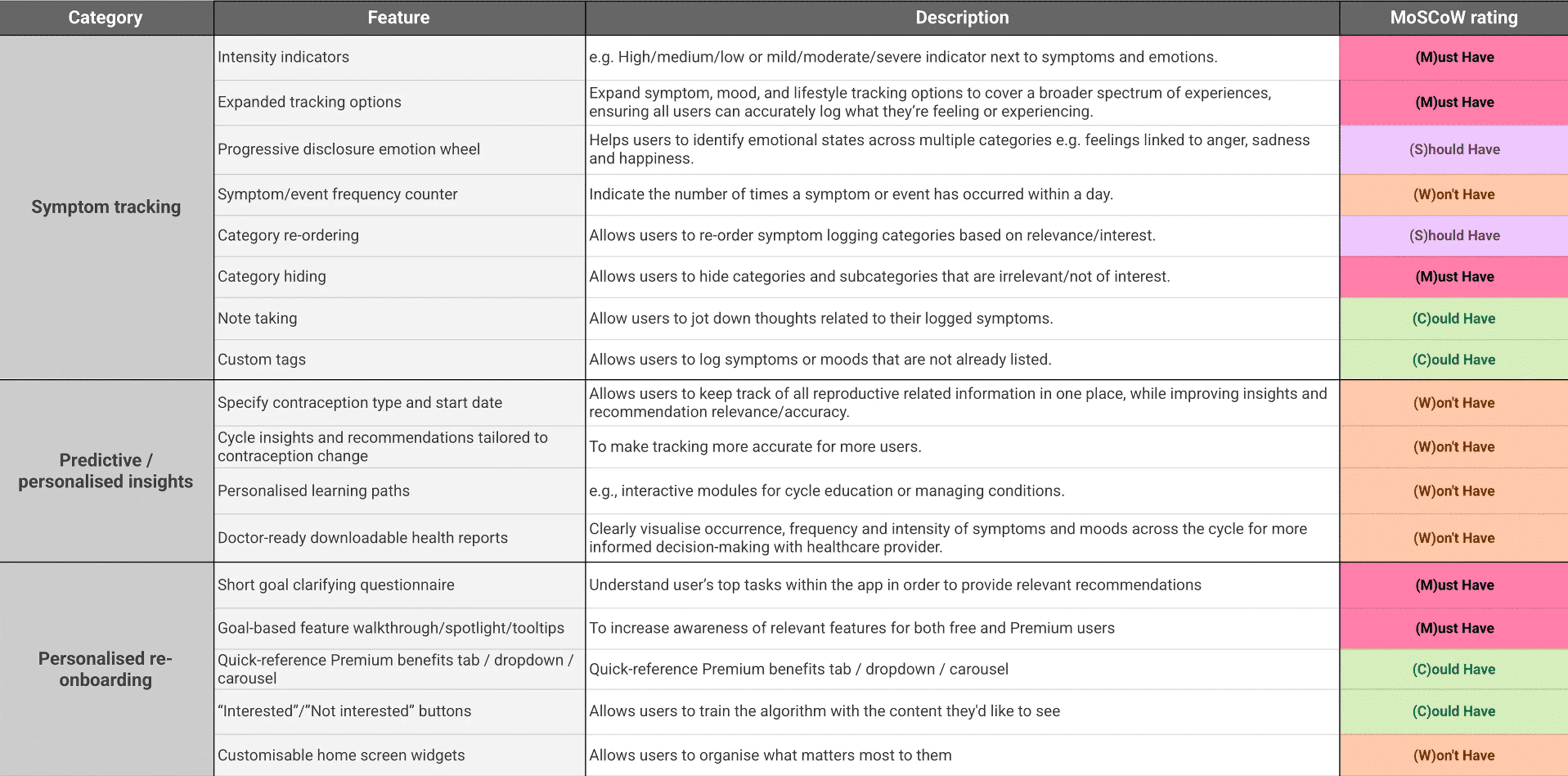
With the feature set established, I employed a content-first approach, listing out the content that would be required for each symptom category, and assessing how to structure the hierarchy to be clear and intuitive.
Which new symptoms to add (based on what users told me they felt was missing)
Renaming symptom categories to be clearer and more discrete (e.g. dividing “symptoms” into high level categories like “pain and discomfort”, “digestion and stool”)
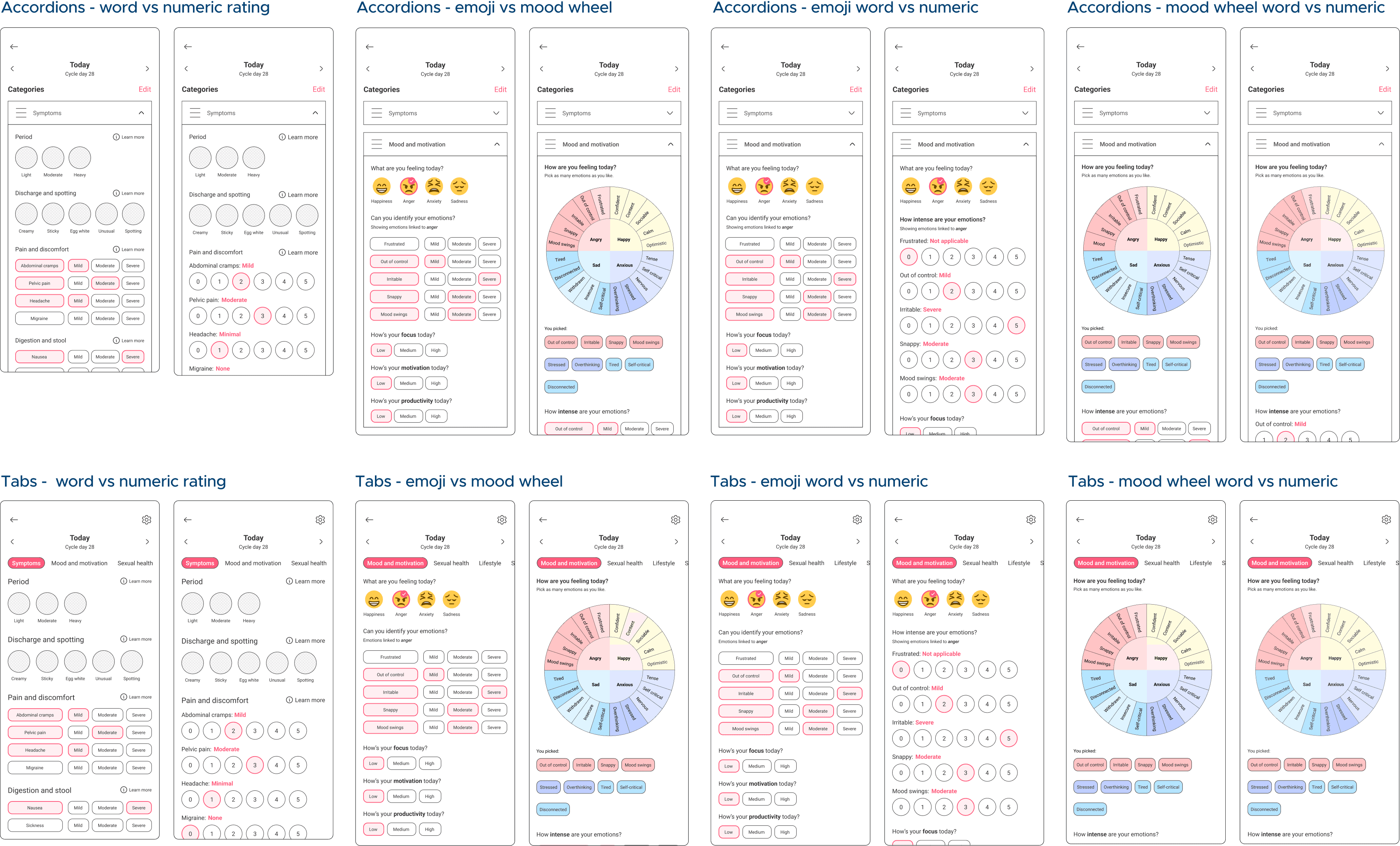
A severity rating system that worked regardless of category (i.e. “low, medium, high” worked for states e.g. "motivation" while “mild, moderate, severe” worked for symptoms e.g. "abdominal cramps"
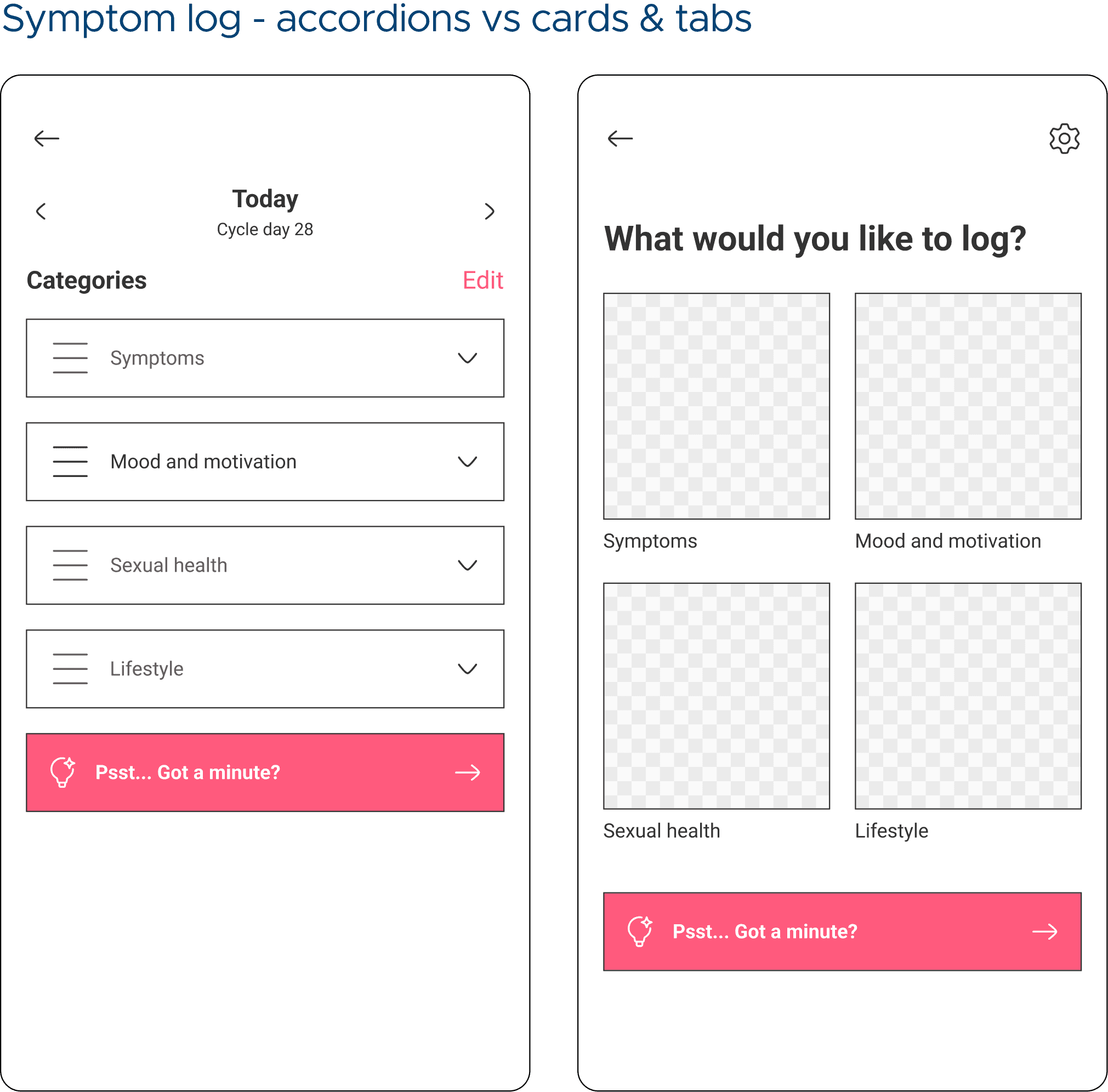
Avoid overwhelm → progressive disclosure, chunking, collapsible sections, progress tracking, user control and customisation, accordions, tabs, quick actions and content layering
Evolve within Flo’s UI → reuse patterns (chips, accordions, cards) while simplifying layouts
Balance user + business goals → surface Premium features through useful context, not intrusive upsells
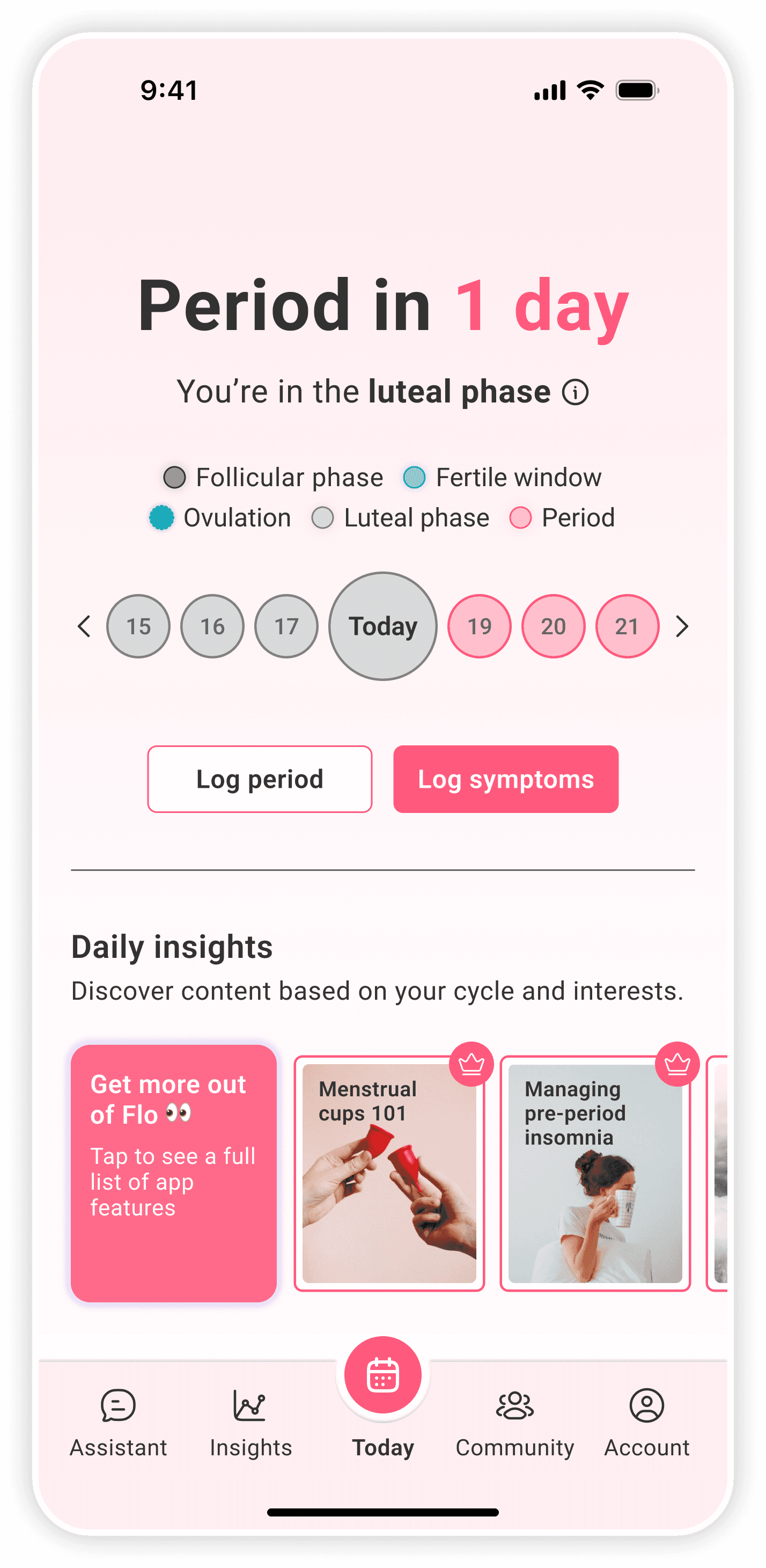
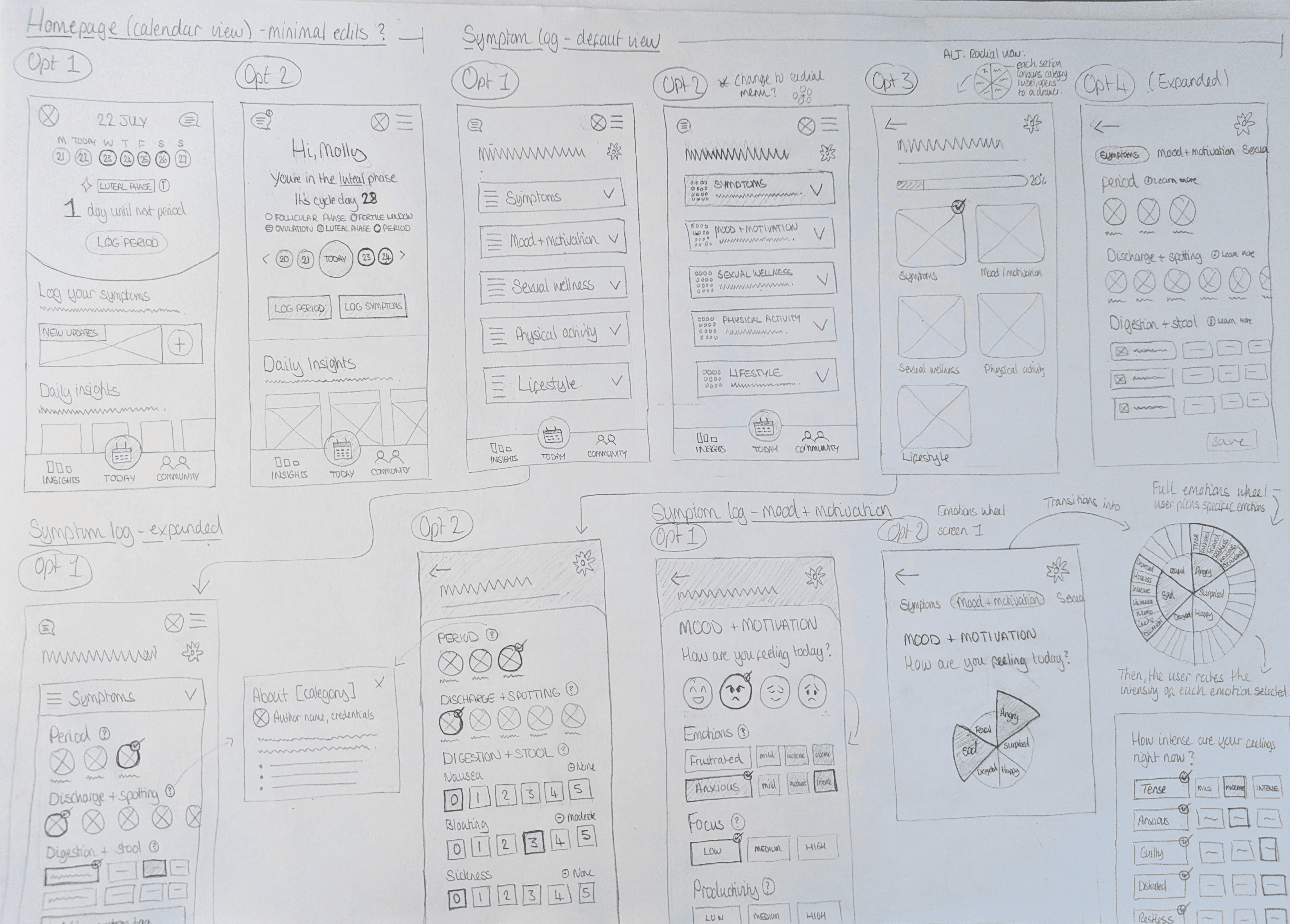
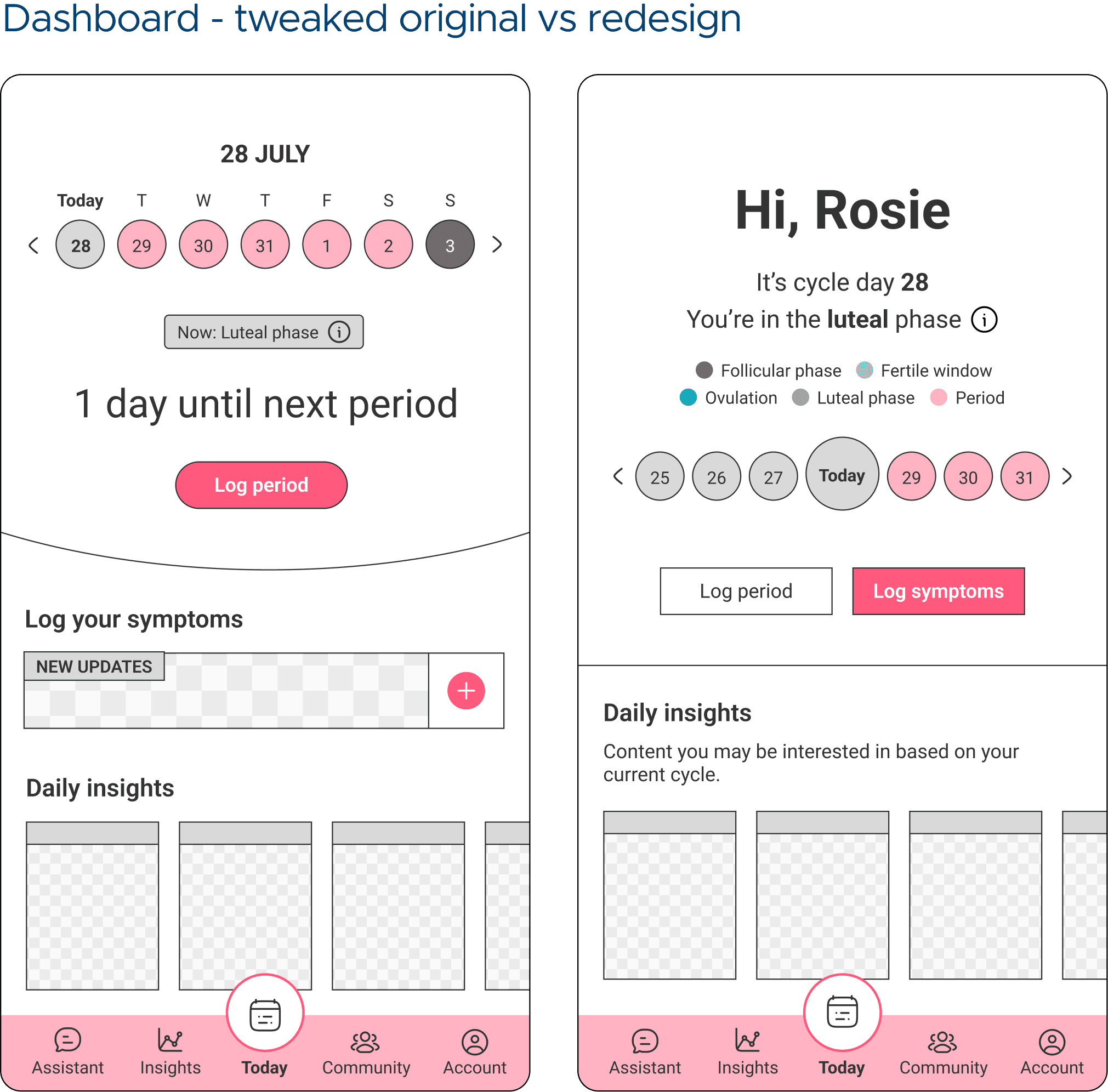
Below are my initial paper sketches exploring different layouts for the original symptom log, which I saw as the most complex aspect of the re-design. These sketches include a redesigned homepage, which is the entry point for logging symptoms.
Mid-fi usability testing & iterations
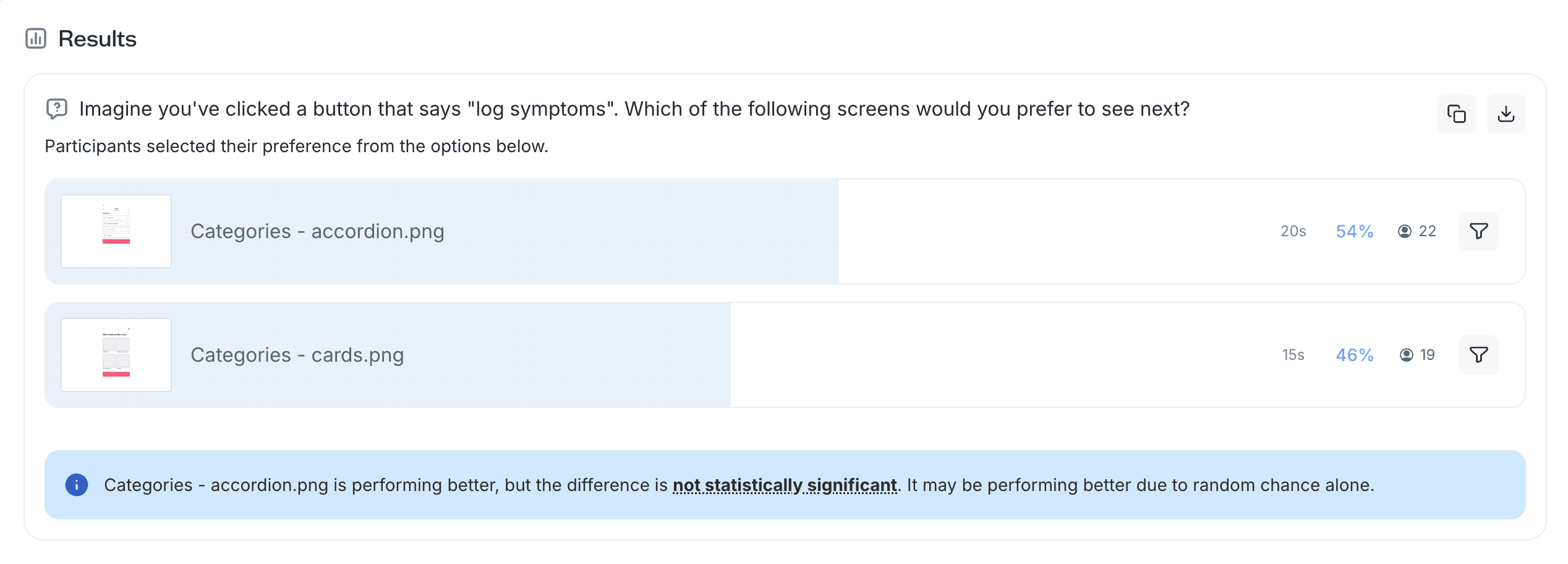
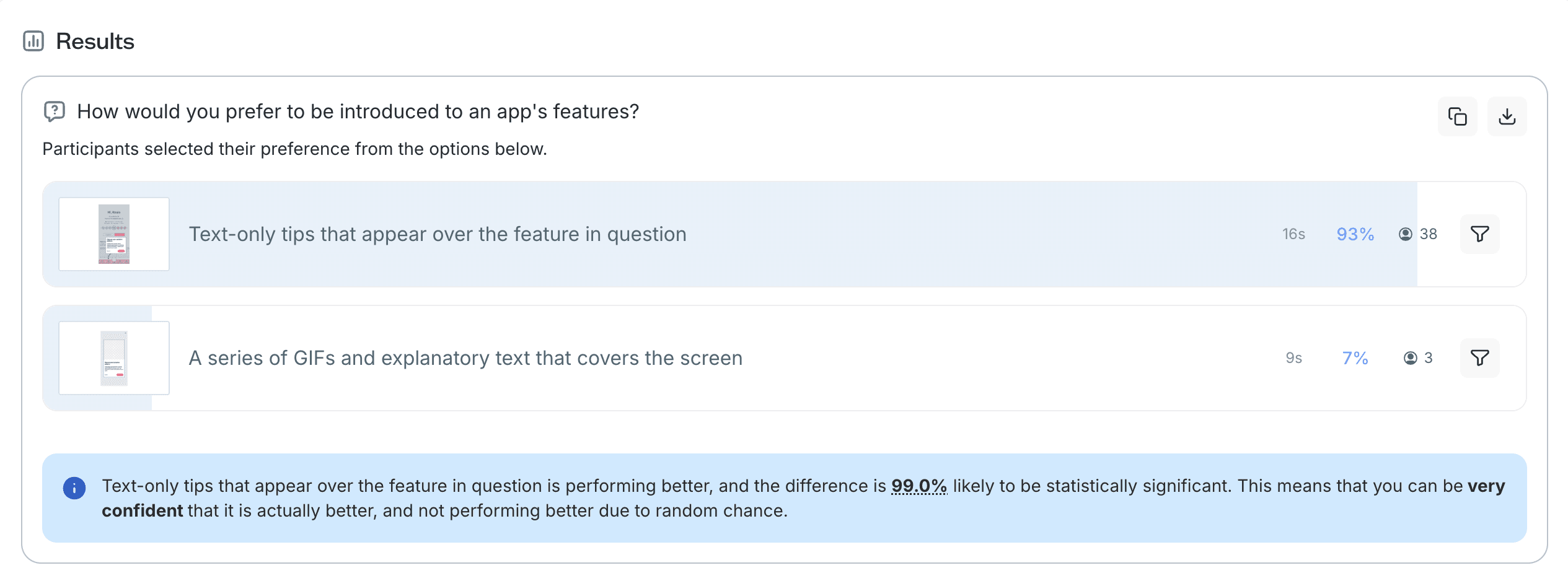
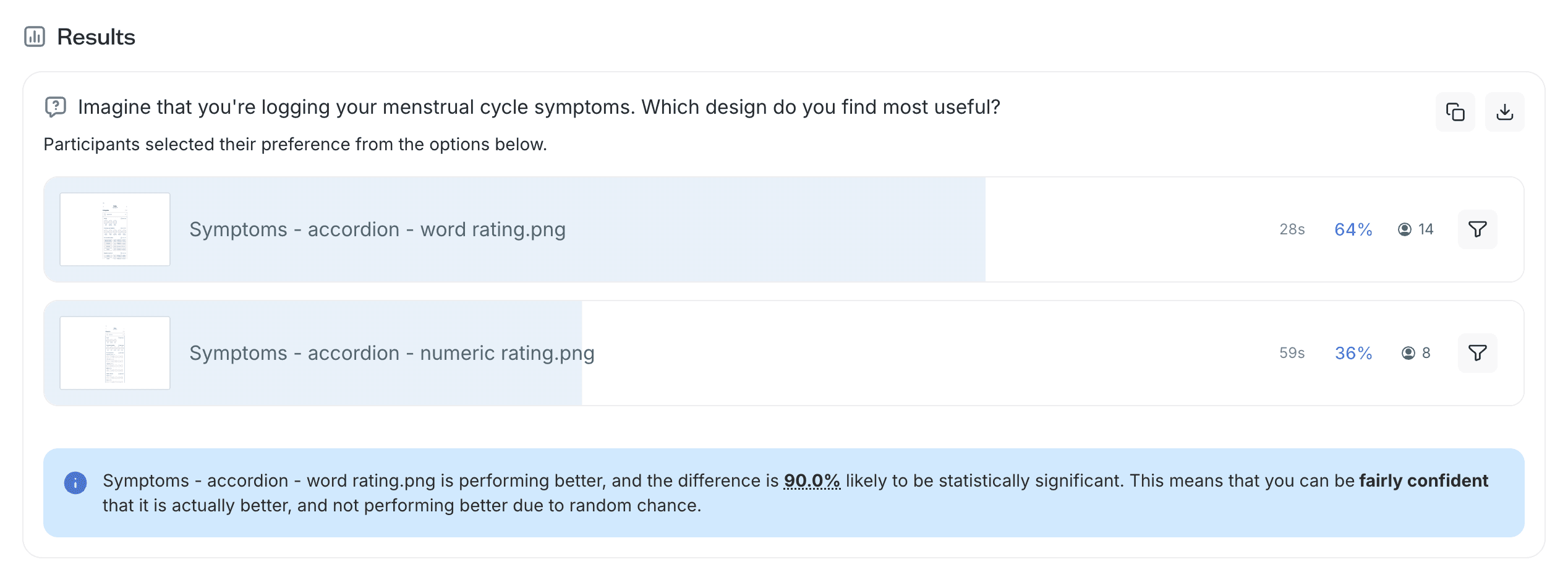
Hi-fidelity usability testing
The redesigned dashboard, accordion-based symptom log, and tooltip feature re-onboarding were taken forward into testing.
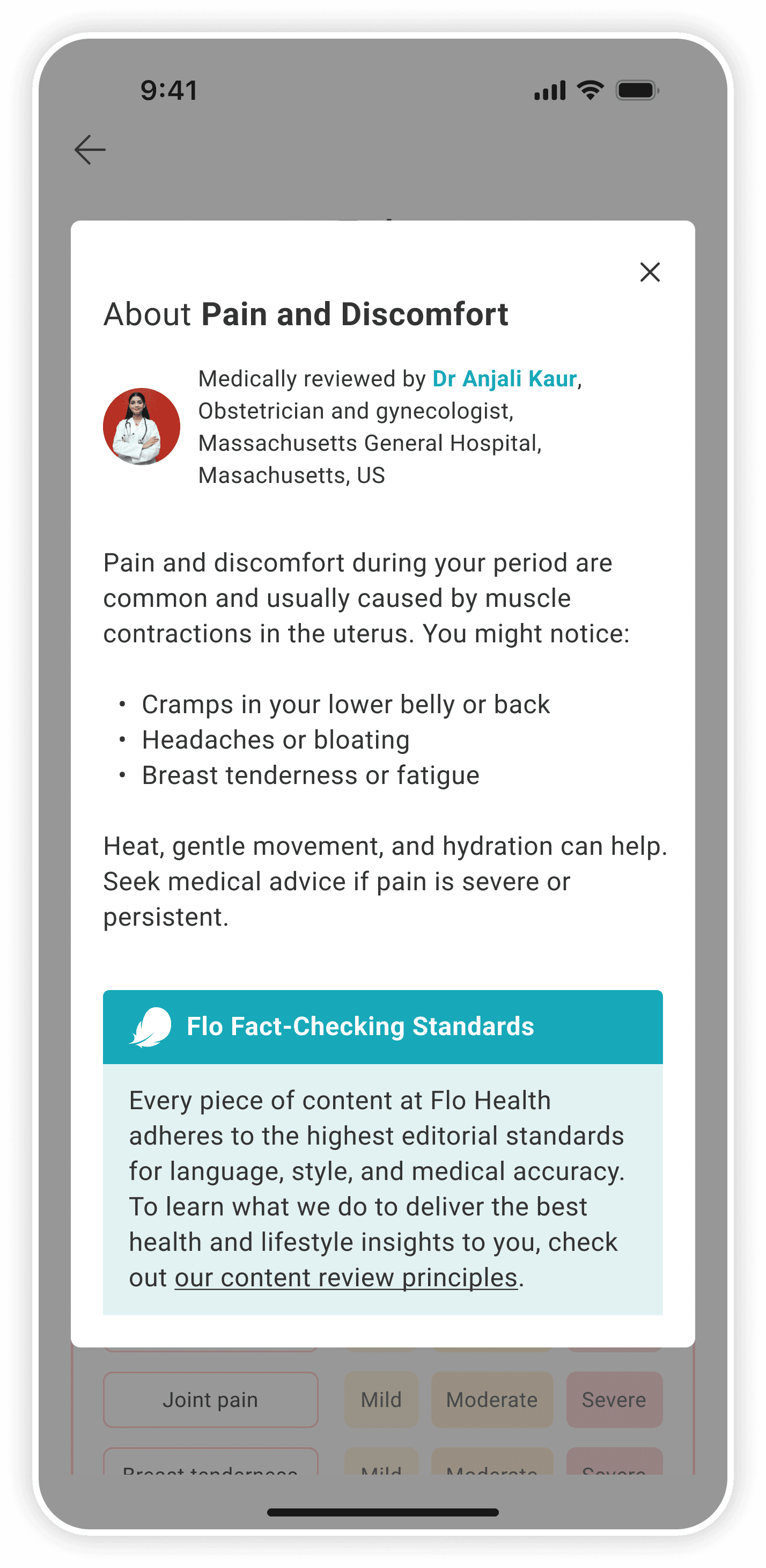
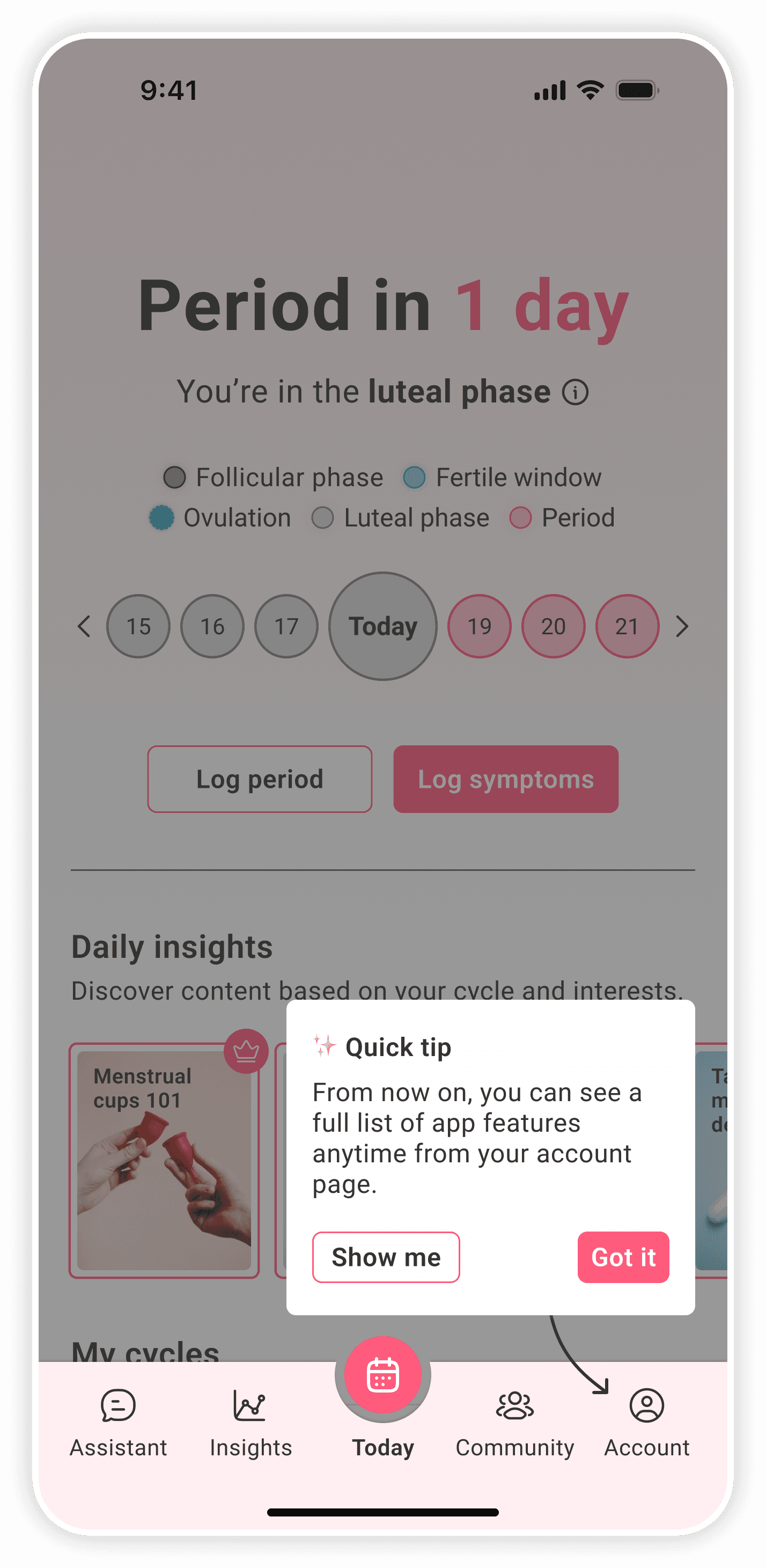
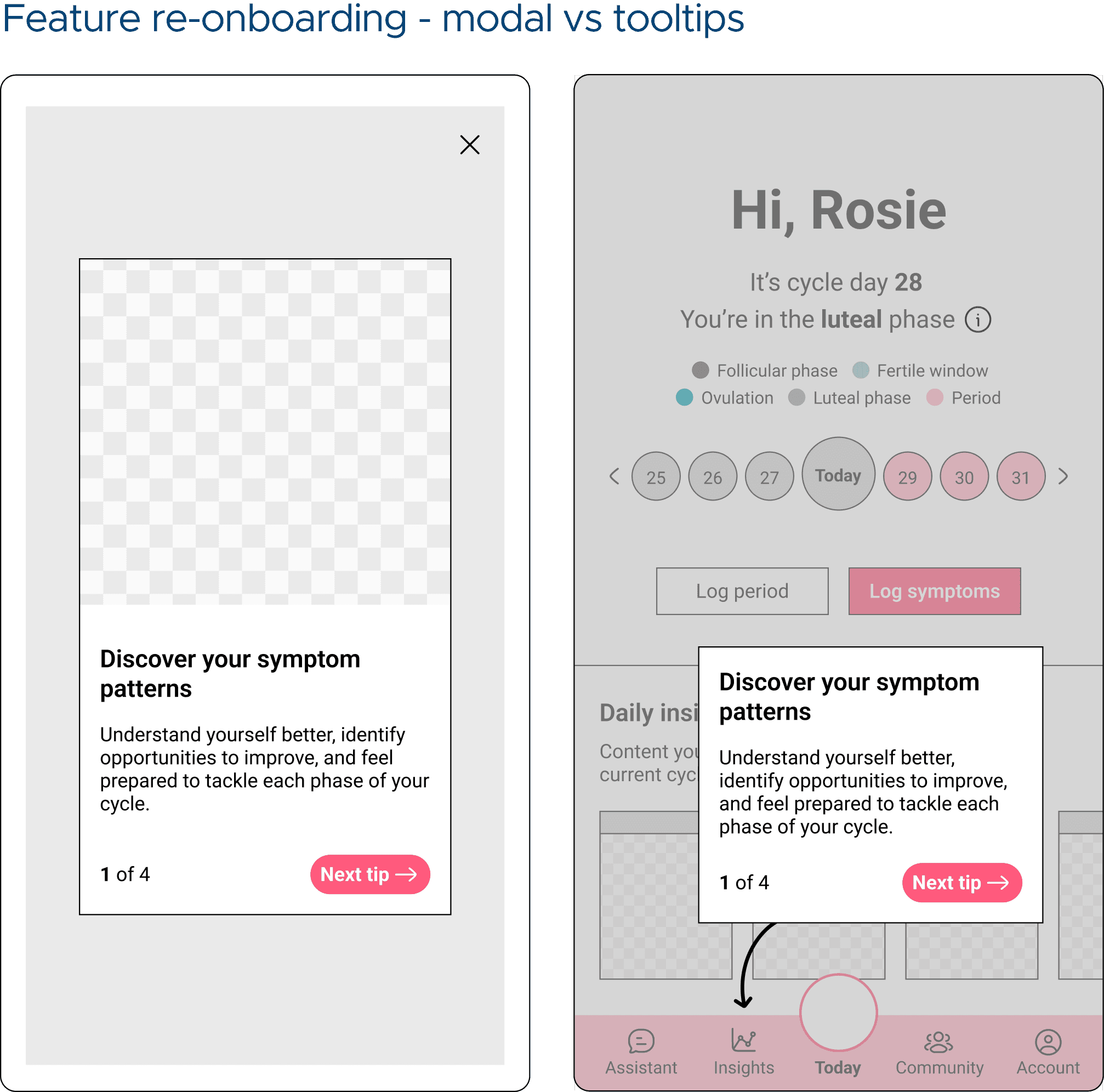
The re-onboarding flow was embedded directly within the symptom log screen, encouraging users to explore and interact with elements that naturally caught their attention as they progressed.
As Empowered Esme's rarely explore beyond the symptom log or calendar, I hypothesised that embedding the re-onboarding within the logging flow would better encourage discovery.
This setup mirrored the conditions of a live A/B test, allowing visibility of the card and the likelihood of organic engagement with the re-onboarding experience to be assessed without prompting.
Using the chosen hi-fidelity symptom log, I asked users to show me how they would log their symptoms and mood.
Before completing the test, users were asked which app features they were aware of. They were asked again at the end of the test.
Iterations round 2
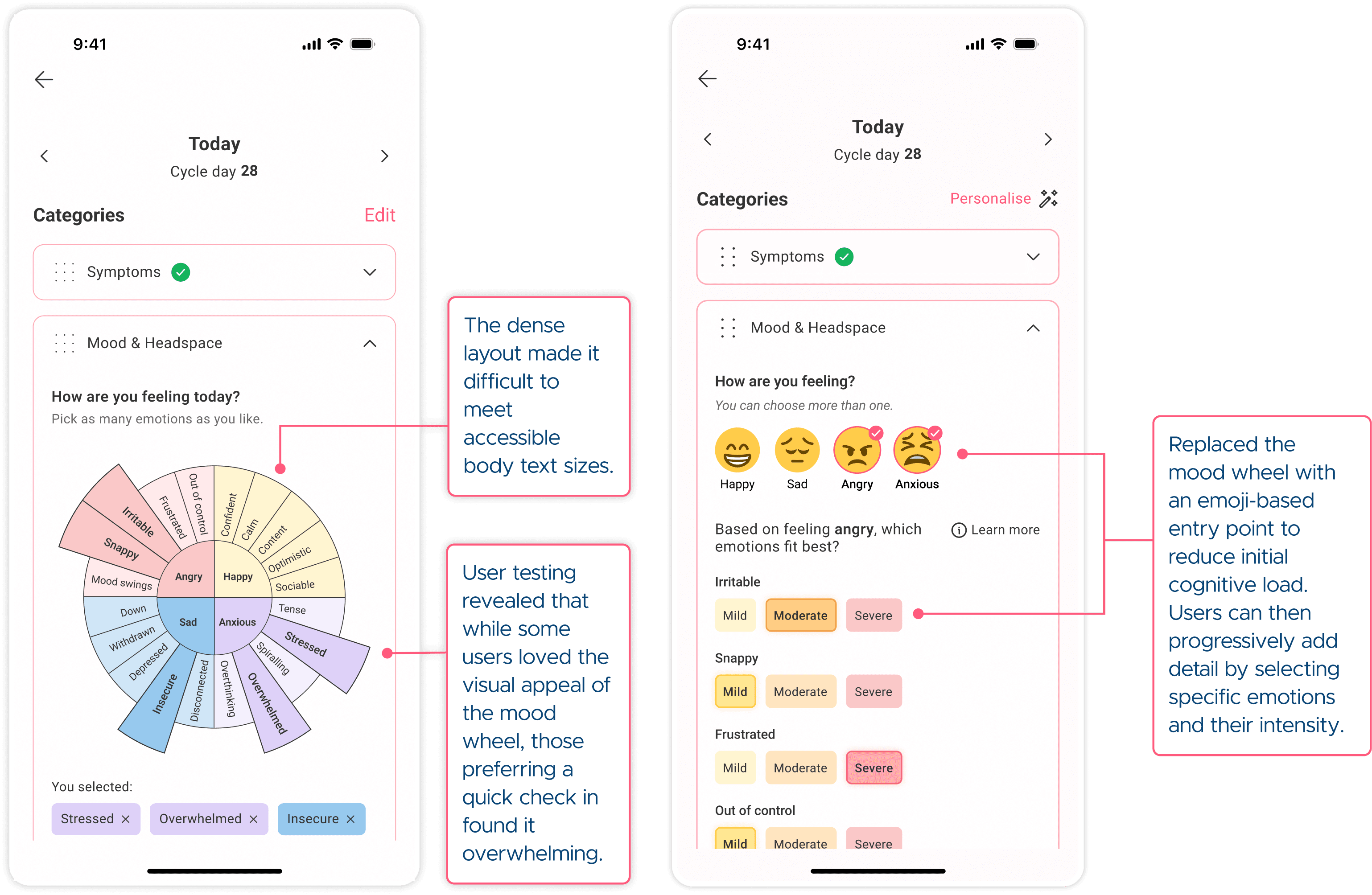
Fitting the mood wheel into the expanded accordion had forced a compromise on font size accessibility — and combined with the confusion some users experienced navigating it, I decided it wasn't the right solution. Preference between the wheel and emojis had been almost 50/50 in earlier testing, so I swapped to emojis.
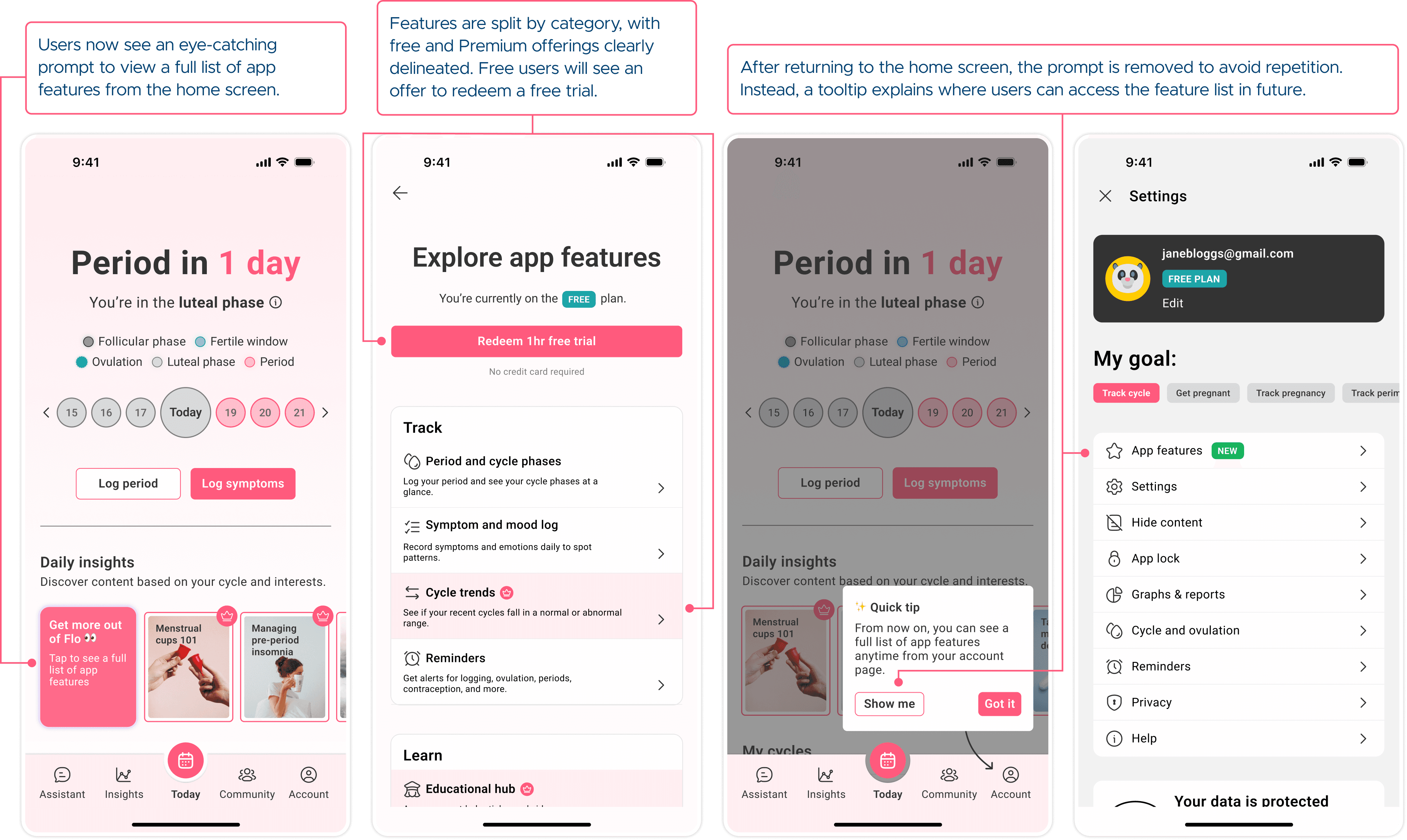
The targeted re-onboarding also wasn't landing as I'd hoped. Every user said the same thing: they just wanted a clear, accessible list of what's available to them — no forced walkthroughs.
This echoed a feature Strava had recently introduced, adding a visible subscription feature list to user profiles. It felt like an exact fit. For Flo users, this list would clearly delineate between free and Premium features, with a button to activate a free 1h trial to explore Premium features shown to free users.
This iteration explored whether embedding re-onboarding within the logging flow could increase awareness of under-used features among log-only users.
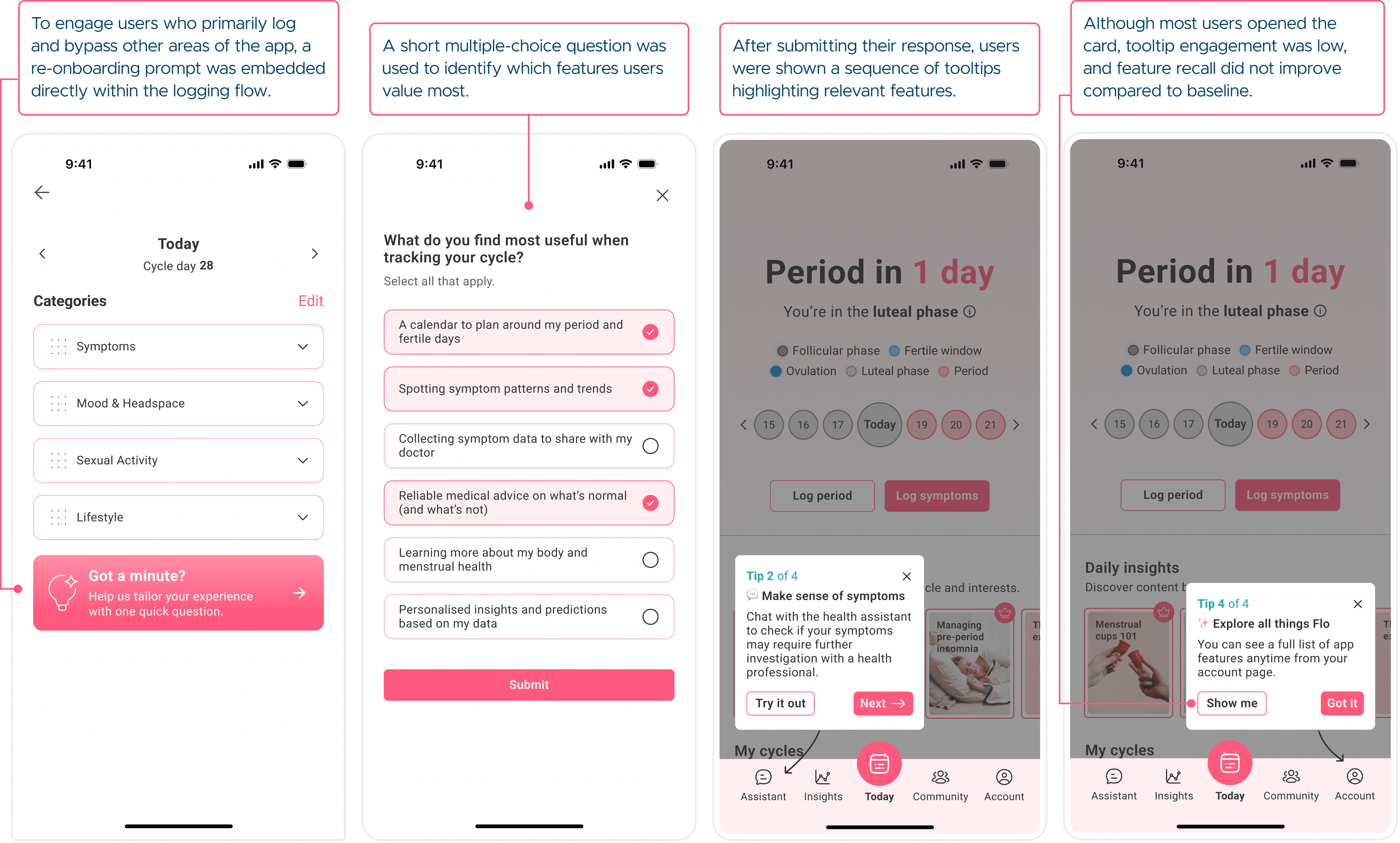
Feature discovery was repositioned to better support exploration over time, while remaining easy to access when needed.
The mood logging experience was redesigned to better support both quick check-ins and more reflective emotional tracking, without compromising text accessibility.
The final solution delivers a more flexible and representative logging experience, supporting both quick check-ins and deeper tracking, while improving feature discovery and transparency around Flo's offering through a simple free vs. Premium feature list.
Explore the prototype