Background
In the UK, hospital rotas are often scattered across spreadsheets, intranets, rota apps, paper printouts, and even WhatsApp threads. Versions multiply, updates go unseen, and doctors are left second-guessing where they’re meant to be and when. Swapping a shift adds another layer of friction — a slow, manual chain of messages, checks, and approvals that drain energy and invite error.
How might we design a rota app MVP that integrates with hospital systems, ensures safety compliance, and gives clinicians one reliable, offline-accessible place to manage and swap shifts, helping them to reduce unpaid admin time and cognitive load?
RotaWiz — a native app MVP that:
Pulls a clinician’s 9–5 and on-call shifts into one unified, offline-capable view
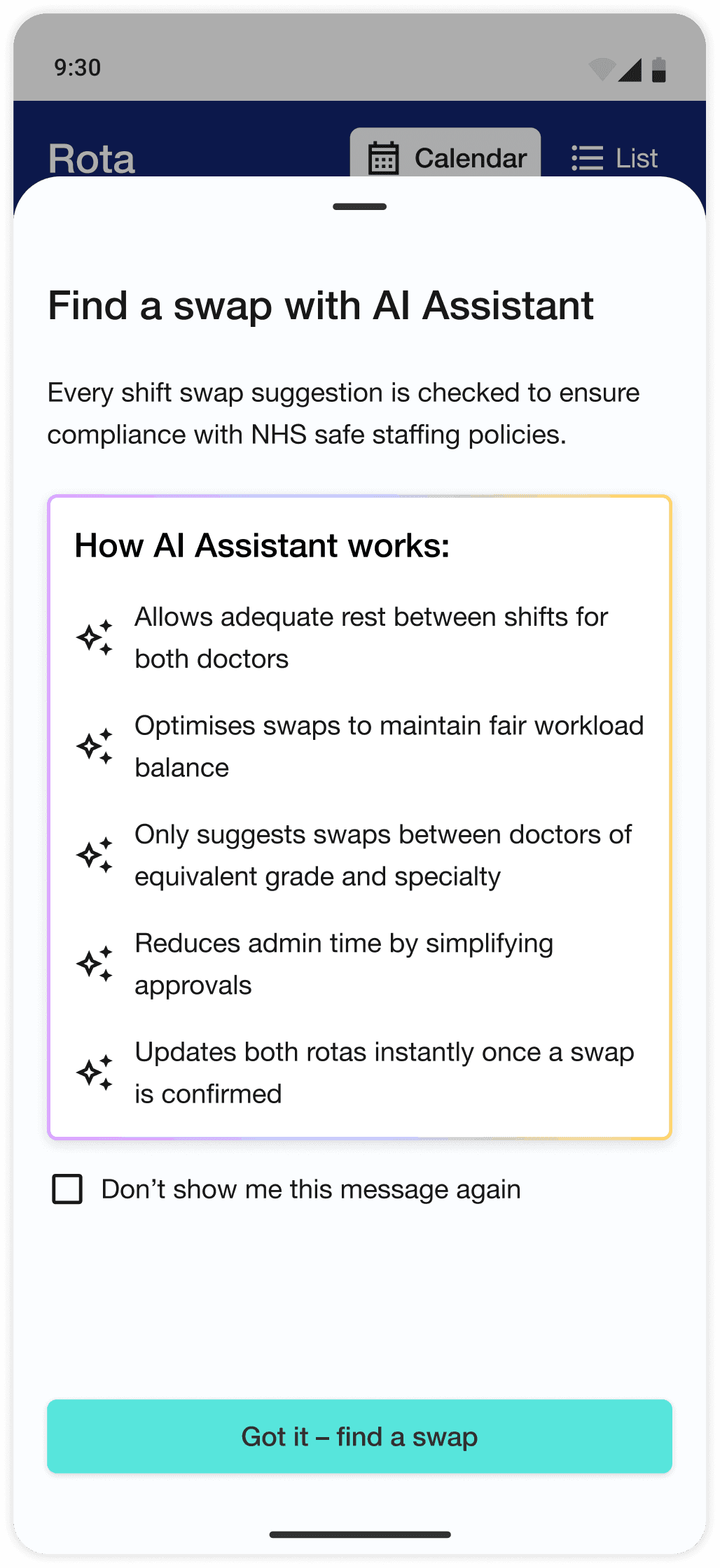
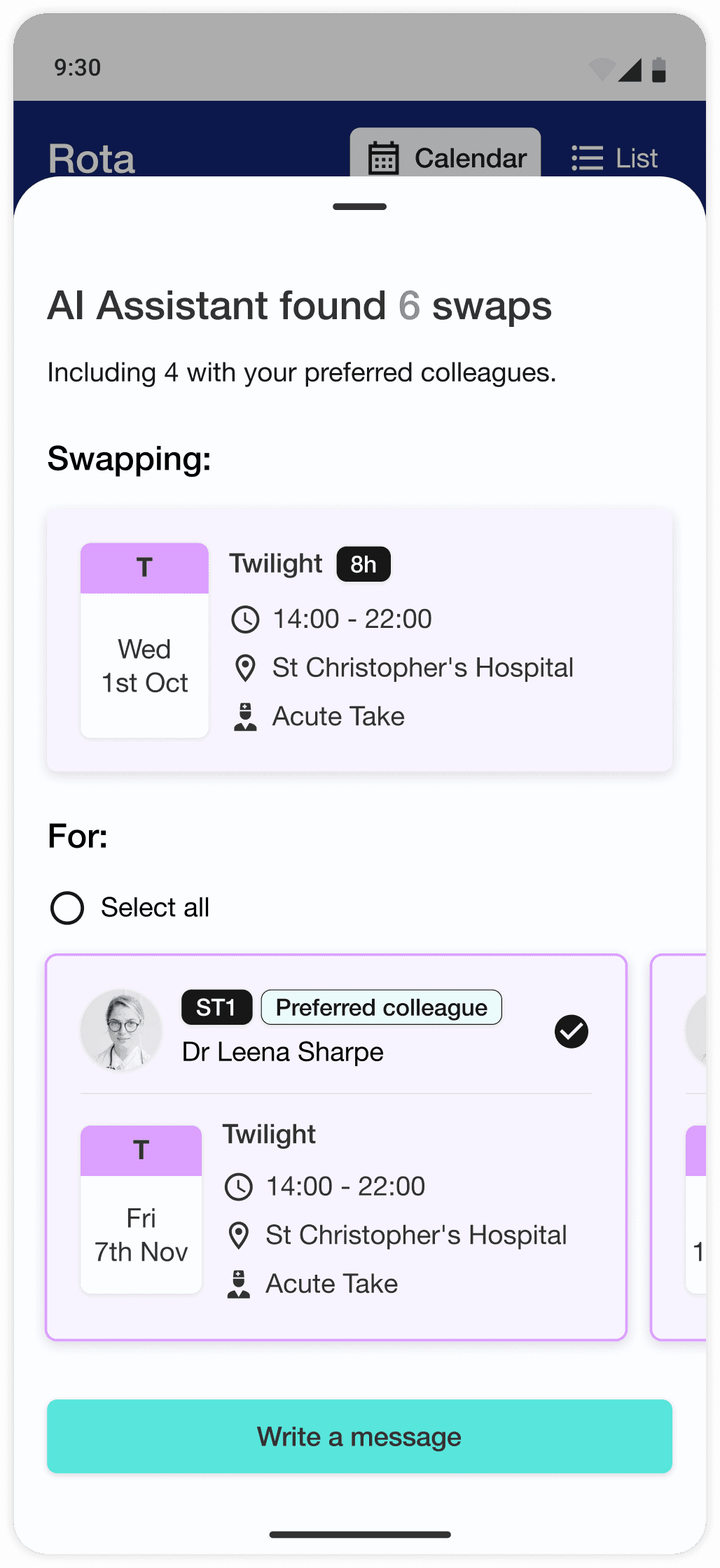
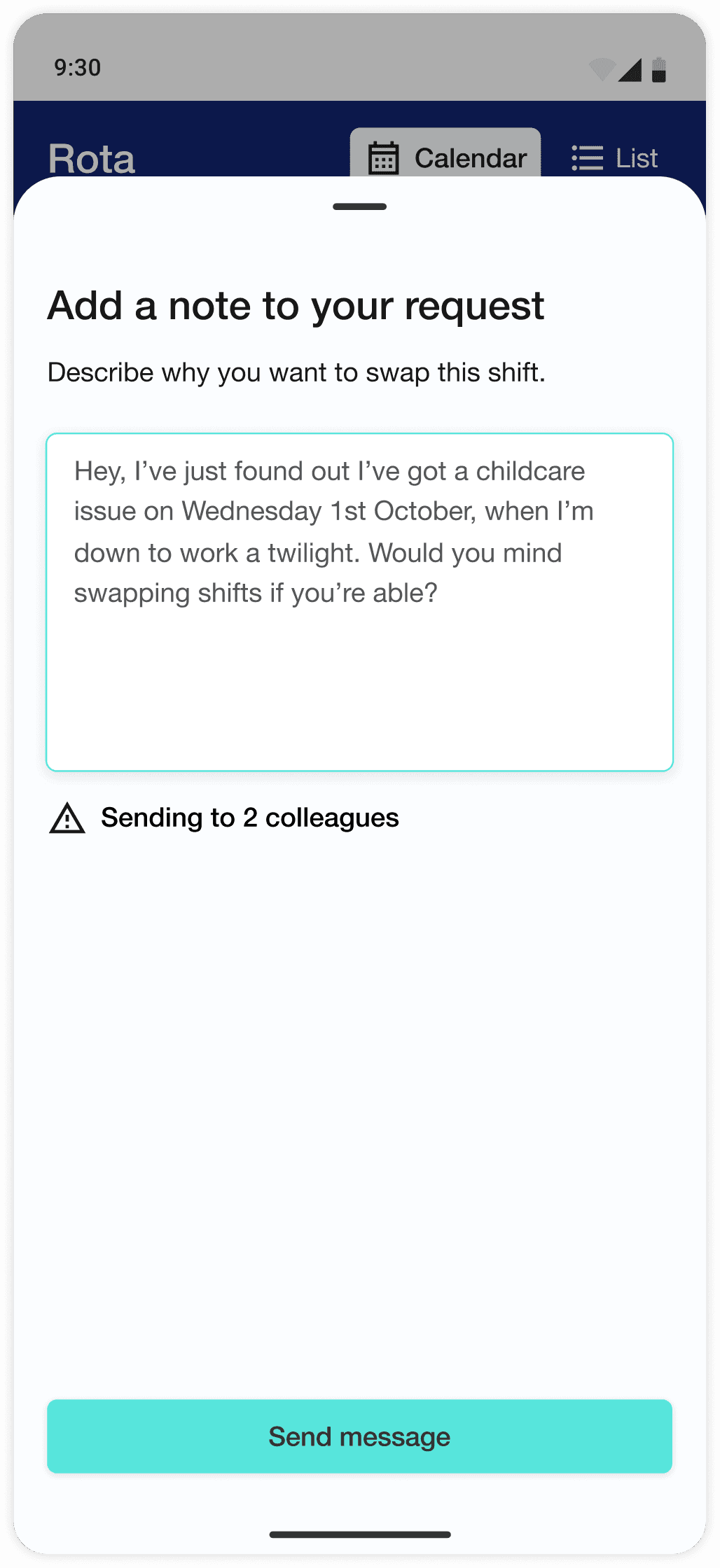
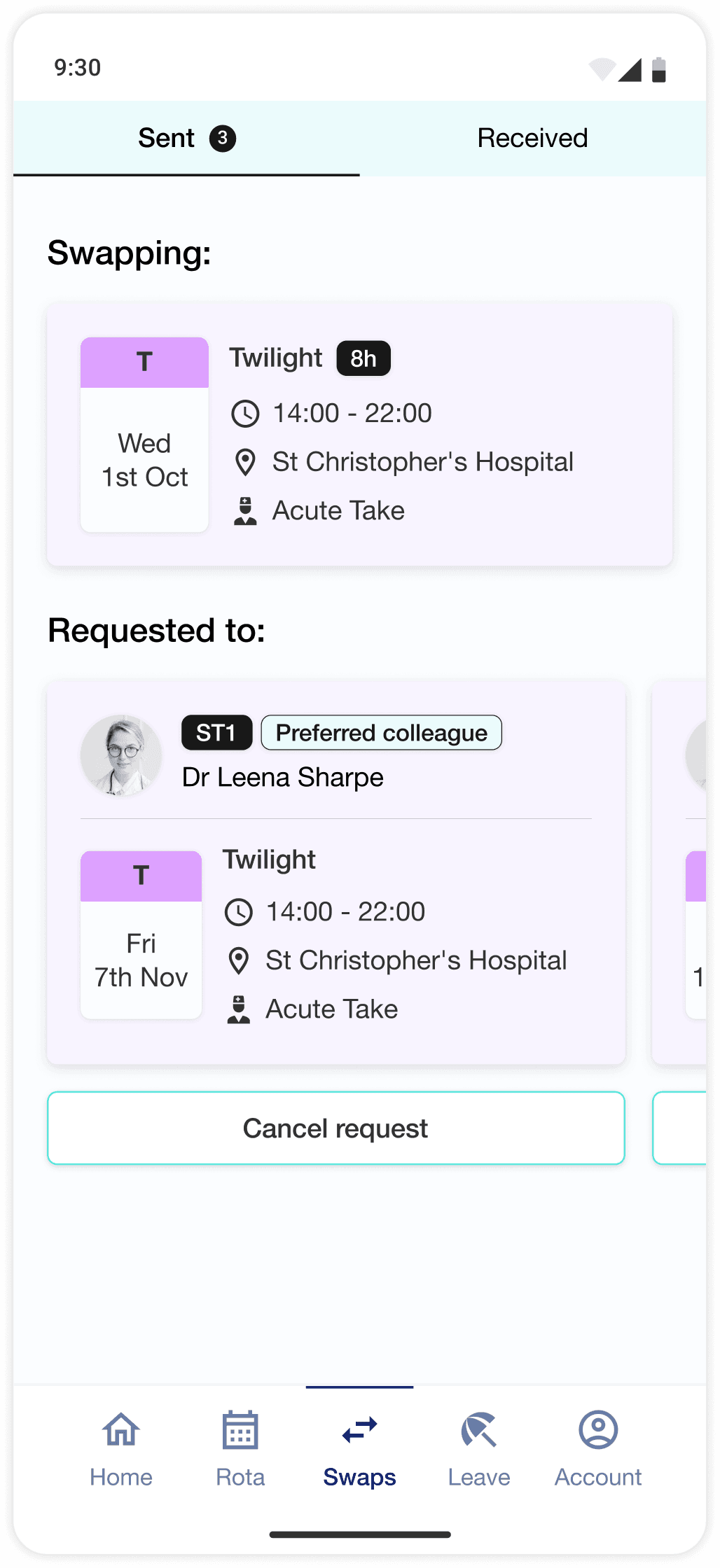
Uses AI to suggest safe, policy-compliant shift swaps and handle requests
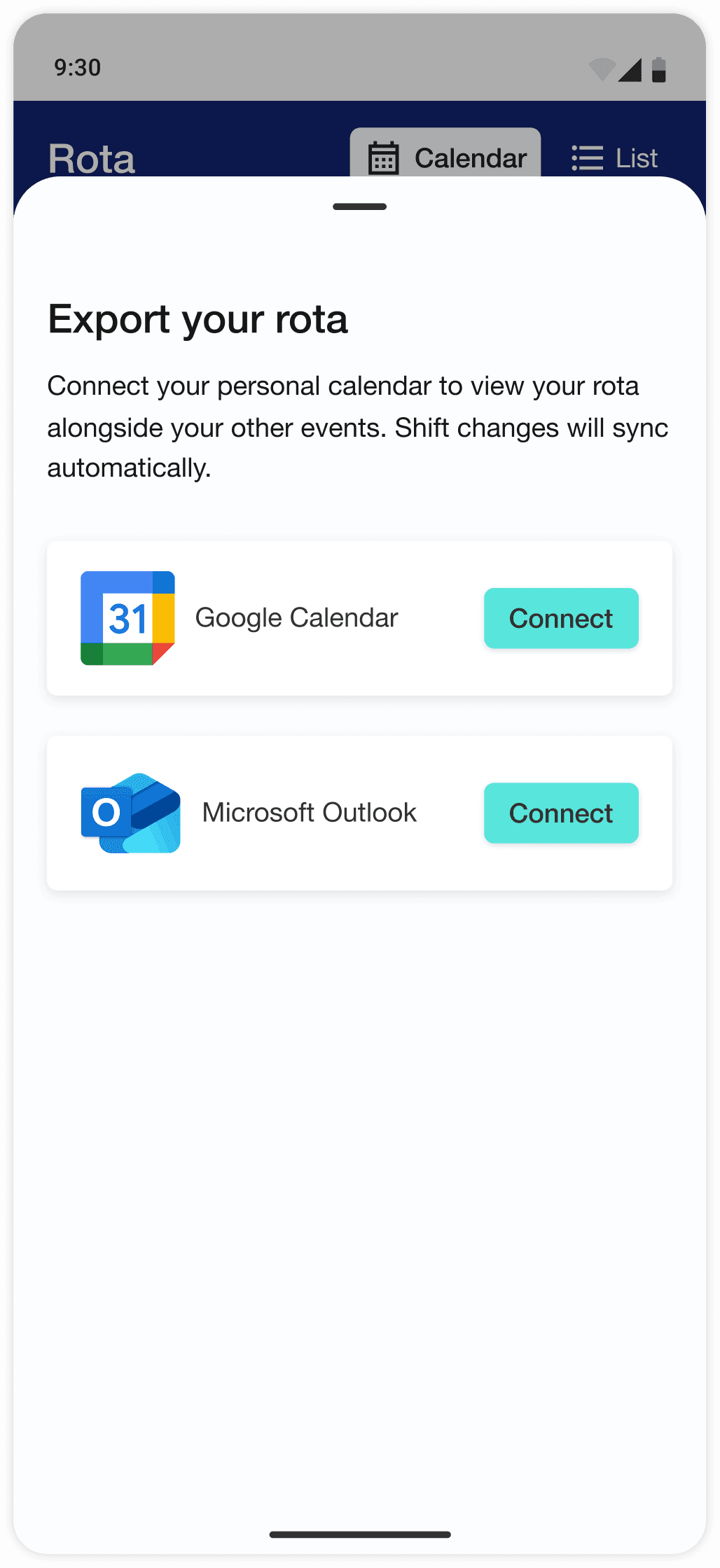
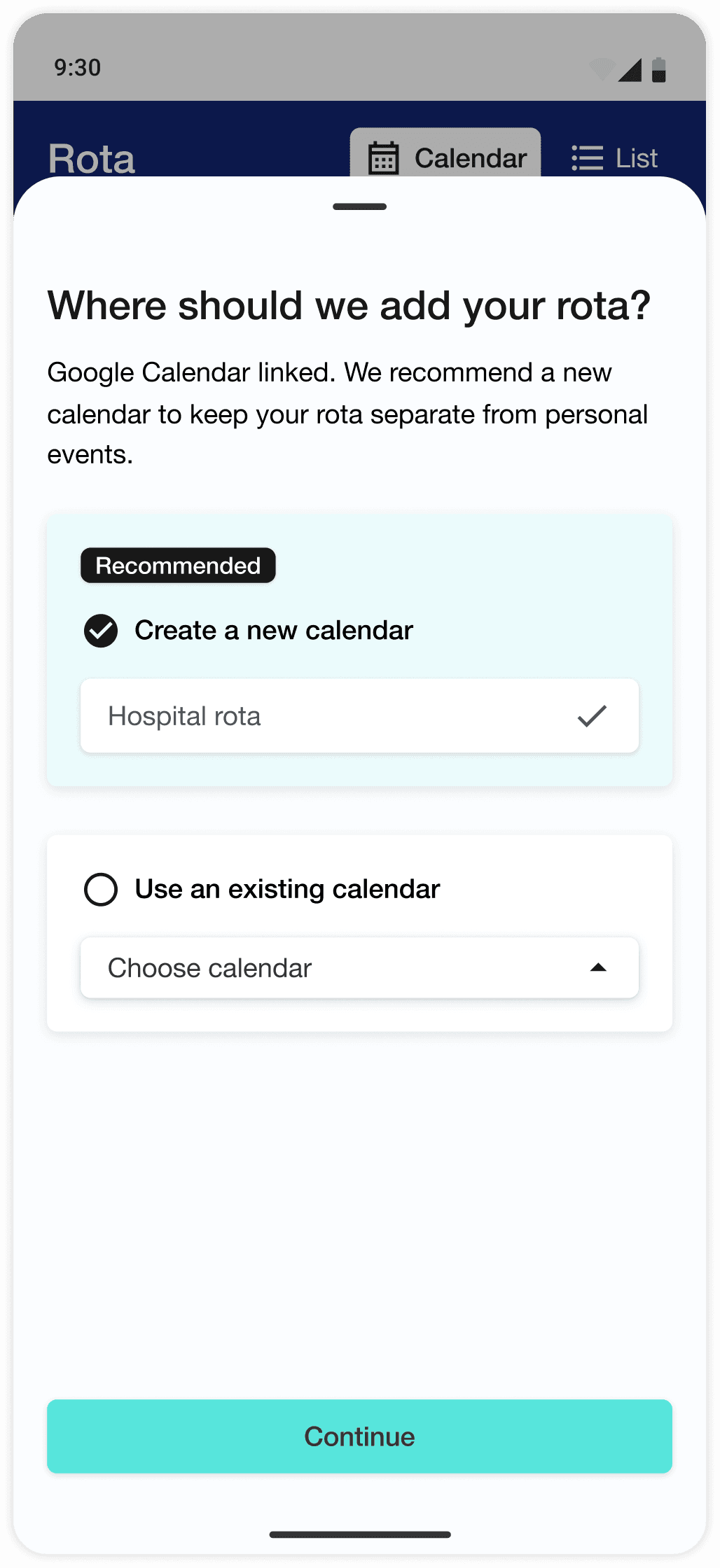
Exports confirmed rotas to personal calendars for easy sharing
Competitor analysis
Doctors are among the most time-pressured professionals, yet much of their daily workload is weighed down by fragmented IT systems and unnecessary admin, from chasing the latest rota to securing time off. Dedicated medical rota software exists, but adoption and satisfaction remain low. I wanted to understand why.

Patchwork Health

Loop by RLDatix

HealthRota

MediRota

RotaPal
User research
Key insight 1
Every doctor described the same setup: separate 9–5 and on-call rotas — each created by different people, in different formats, stored in different locations, and updated unpredictably. The on-call rota often existed in multiple conflicting versions.
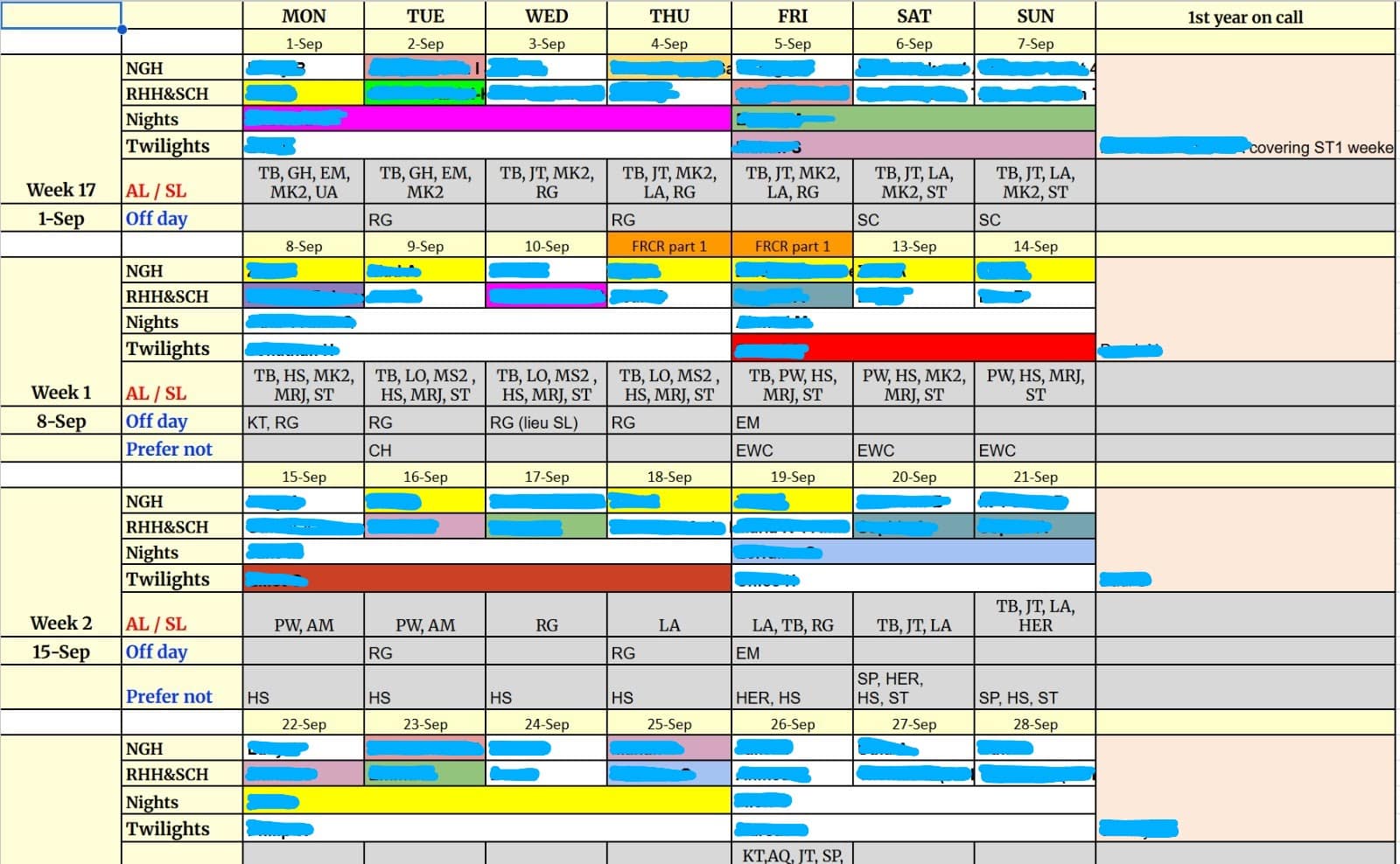
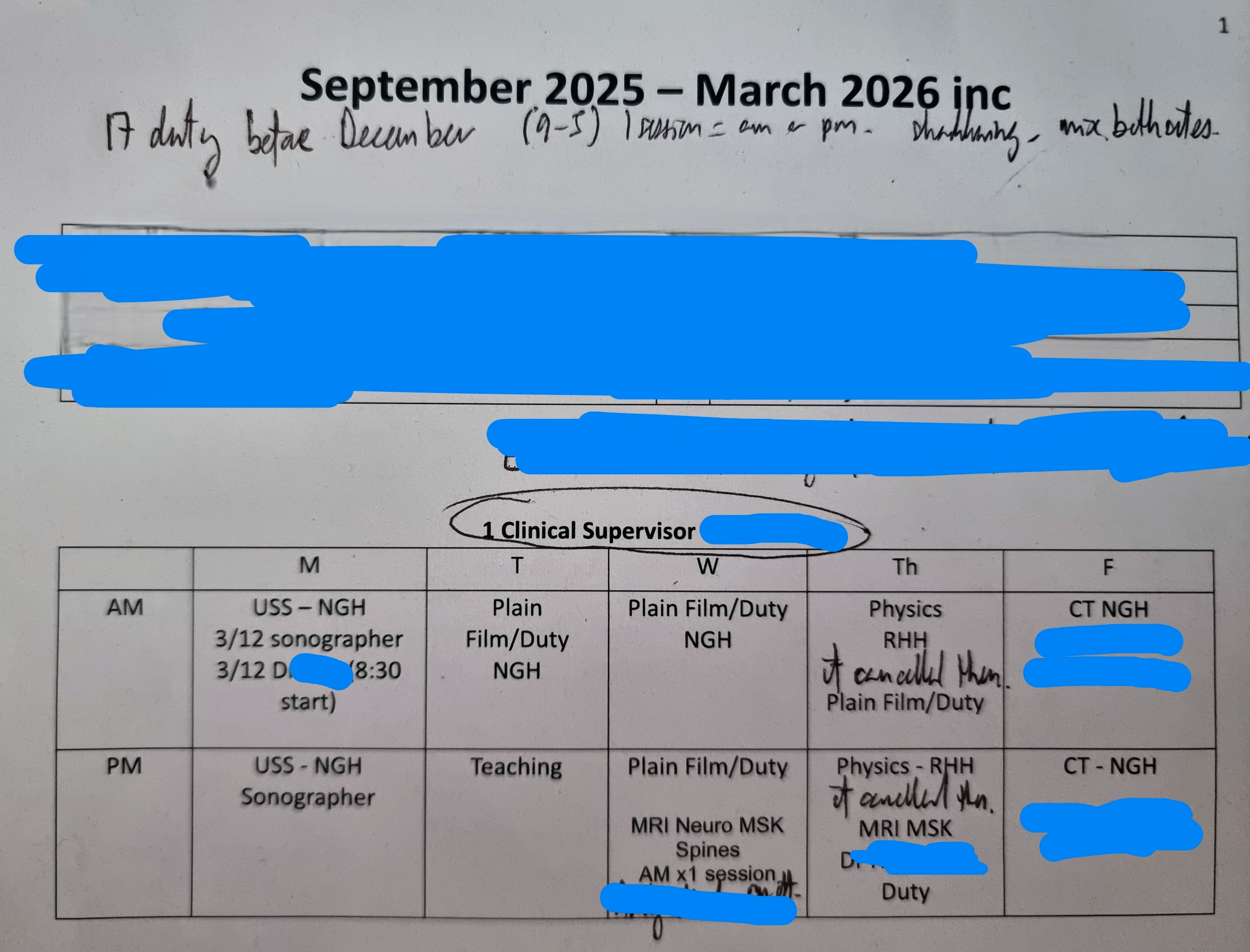
An example of a typical on-call (a) and 9-5 (b) hospital rota; one in spreadsheet form, the other on paper. Identifiable information has been redacted for confidentiality.
While some NHS trusts use dedicated rota software, many rely on a patchwork of complex spreadsheets and paper printouts pinned to the walls of common rooms. The result is a system that doctors consistently described as fragmented, inconsistent, and difficult to trust.
To cope, doctors develop their own workarounds — triple-checking details, screenshotting rotas for offline access, and manually adding shifts to personal calendars. But these patches come at the expense of time and mental energy.
Key insight 2
Swapping a shift to accommodate personal plans emerged as one of the biggest pain points; a process that took significant time and thought, often spread across multiple days. Users commonly described it as “time-consuming,” “awkward,” and “a nightmare”.
Because each swap request requires manual validation, the rota coordinators who create the schedules often fall behind on approvals and updates, and this risks cascading into clinical hazards. Even when swaps are approved, switchboards or contact lists for a given shift aren’t reliably updated, leading to understaffing, confusion or crisis mid-shift.
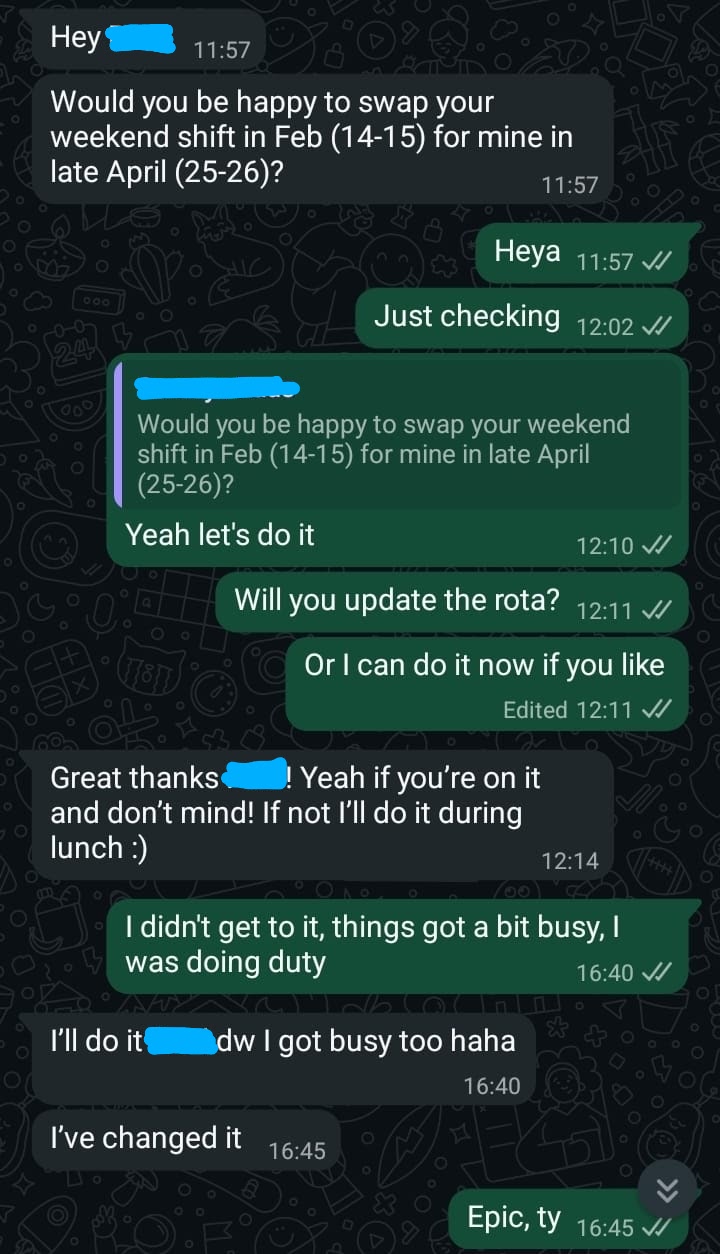
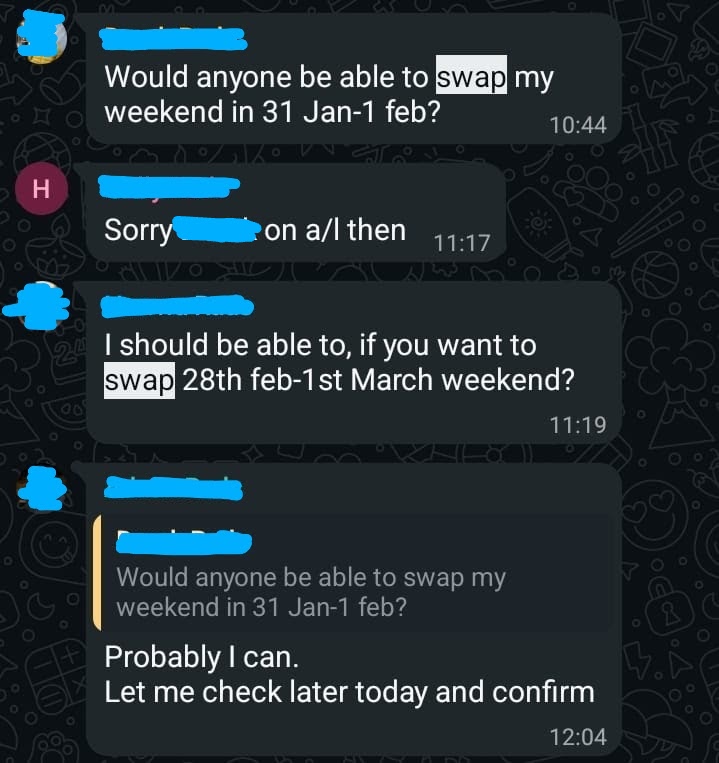
A typical text exchange between clinicians trying to swap a shift. Names have been redacted for confidentiality.
Research synthesis
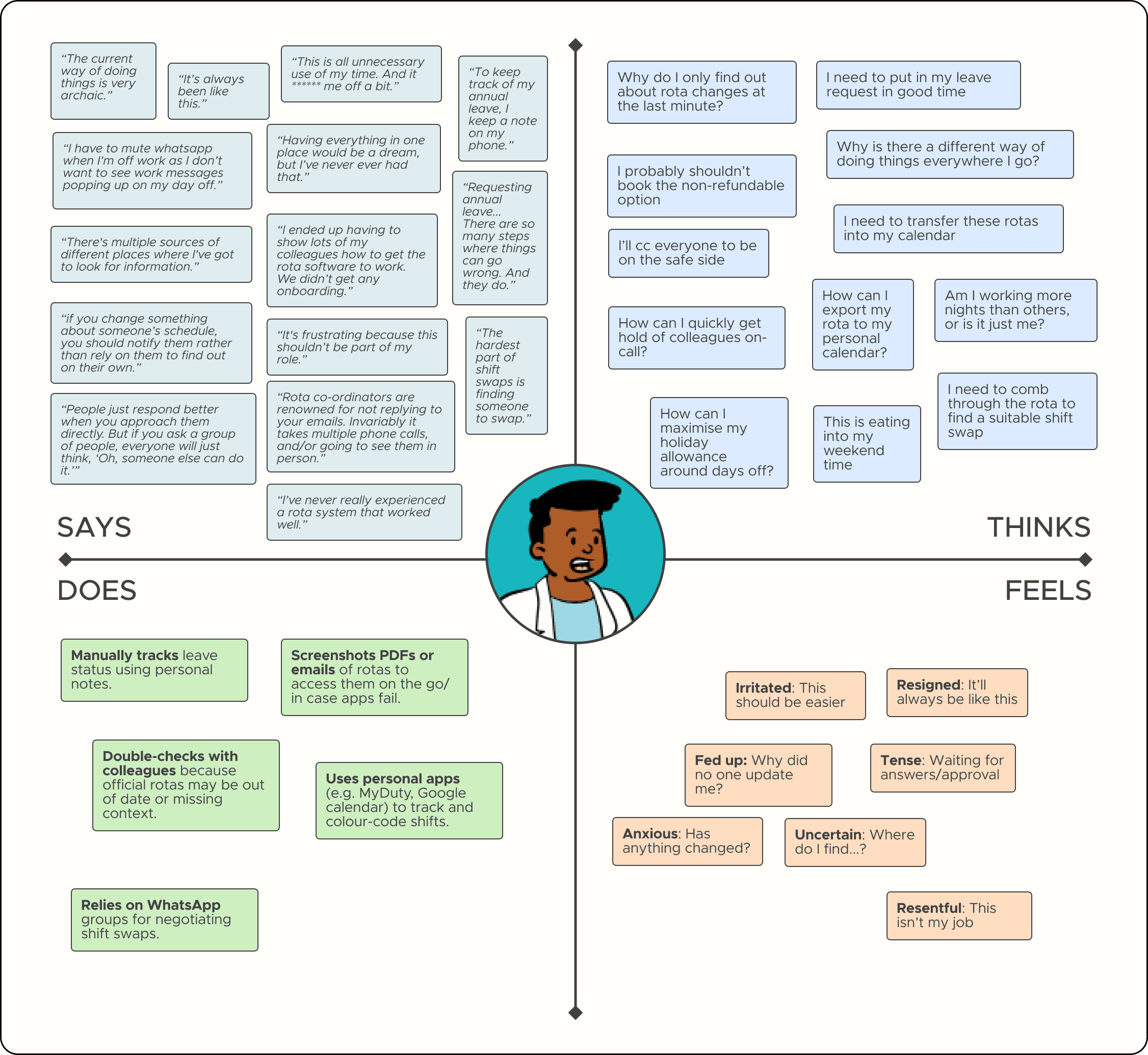
Interview findings were first grounded in a representative registrar persona to reflect common constraints and behaviours across participants. An empathy map was then used to translate those insights into daily pain points, decision pressures, and unmet needs, helping surface the top tasks that would later shape the MVP.
Ideation & prioritisation
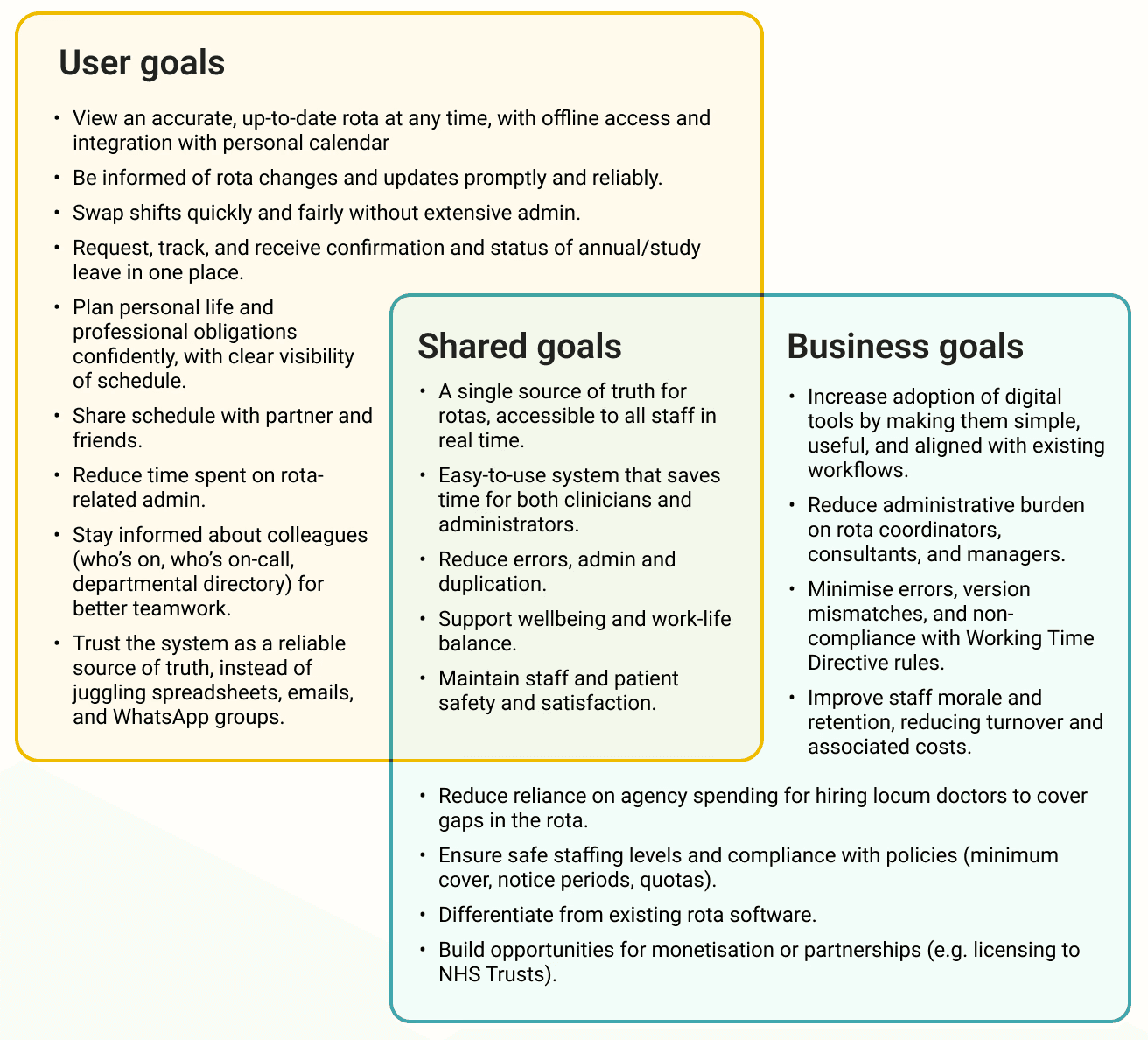
For hospitals, fewer rota errors meant fewer coverage gaps, less admin, and reduced risk — a direct operational benefit.
In practice, new rota software often launches first on web and mobile platforms, with native apps introduced later once core systems are in place. For this project, I focused on the reverse: designing a proof-of-concept native app; a blueprint for how the experience could work once integrated with existing hospital systems.
I set realistic boundaries for scope. If the app was to be launched, rota coordinators would continue to create and manage rotas, but the app would automatically sync and notify users of changes, removing the need for manual updates, emails, and approvals.
From a business standpoint, the aim was to cut uneccessary admin time, build adoption, and reduce reliance on temporary locum staff caused by rota gaps — saving NHS trusts time and money, and improving morale across multidiscipliniary teams.
Fragmented rotas in different formats and locations
Difficulty swapping shifts in line with policy rules
Uncertainty when requesting annual or study leave
Problems unifying work and personal schedules
To stay focused, I brainstormed potential solutions and used the MoSCoW matrix to separate what the MVP must deliver from what could follow later. This helped ensure the app addressed the highest-impact problems first.
While requesting annual leave was a significant source of frustration for many, it was also the most technically complex to tackle, as it hinged on setting up a complex series of rules that wouldn't be feasible to design for in the time available.
Since accessing the rota and swapping shifts are more frequent tasks than requesting leave, I hypothesised that streamlining these processes first would already go a long way to reducing unpaid time and cognitive load.
Viewing shift details via a unified rota
Swapping shifts through AI assisted matching
Exporting the rota to a personal calendar
Unified rota
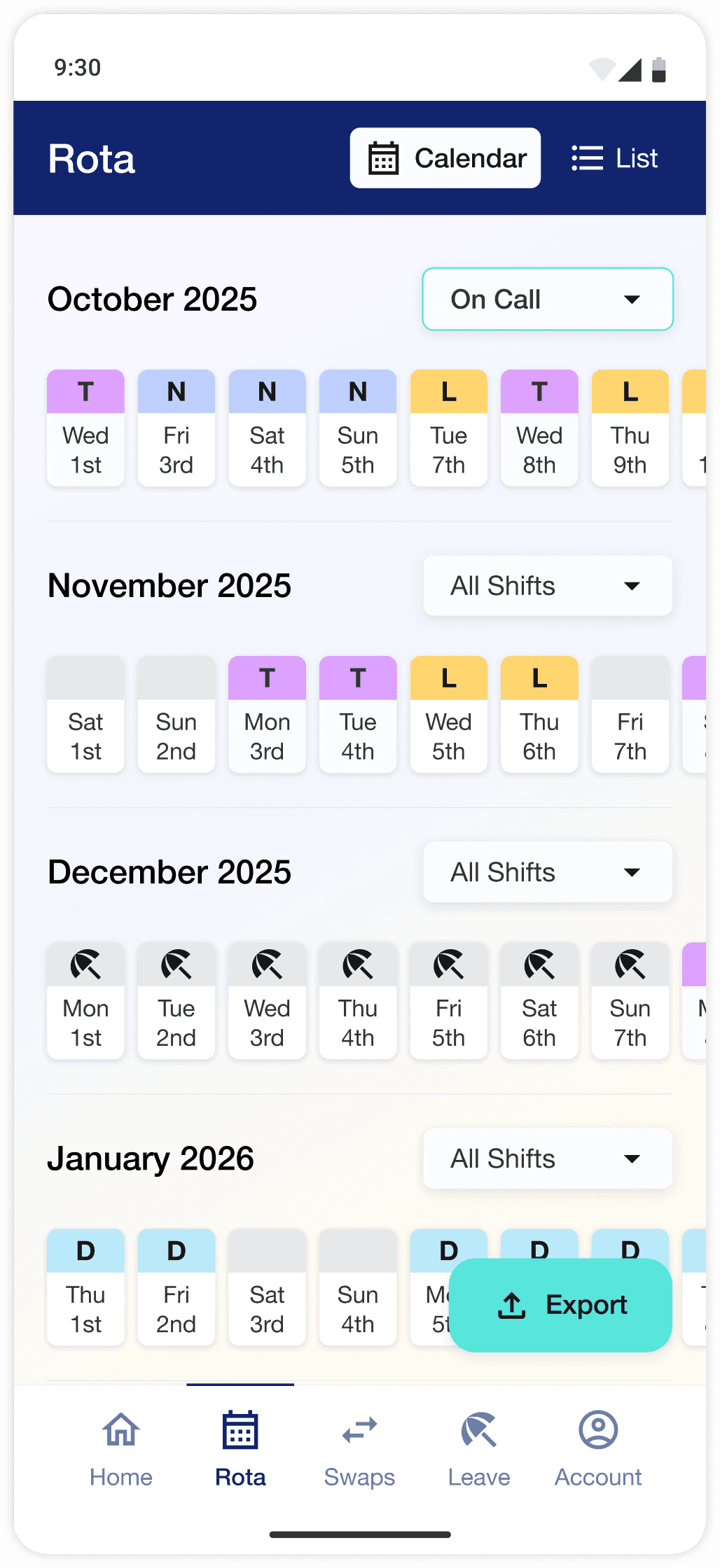
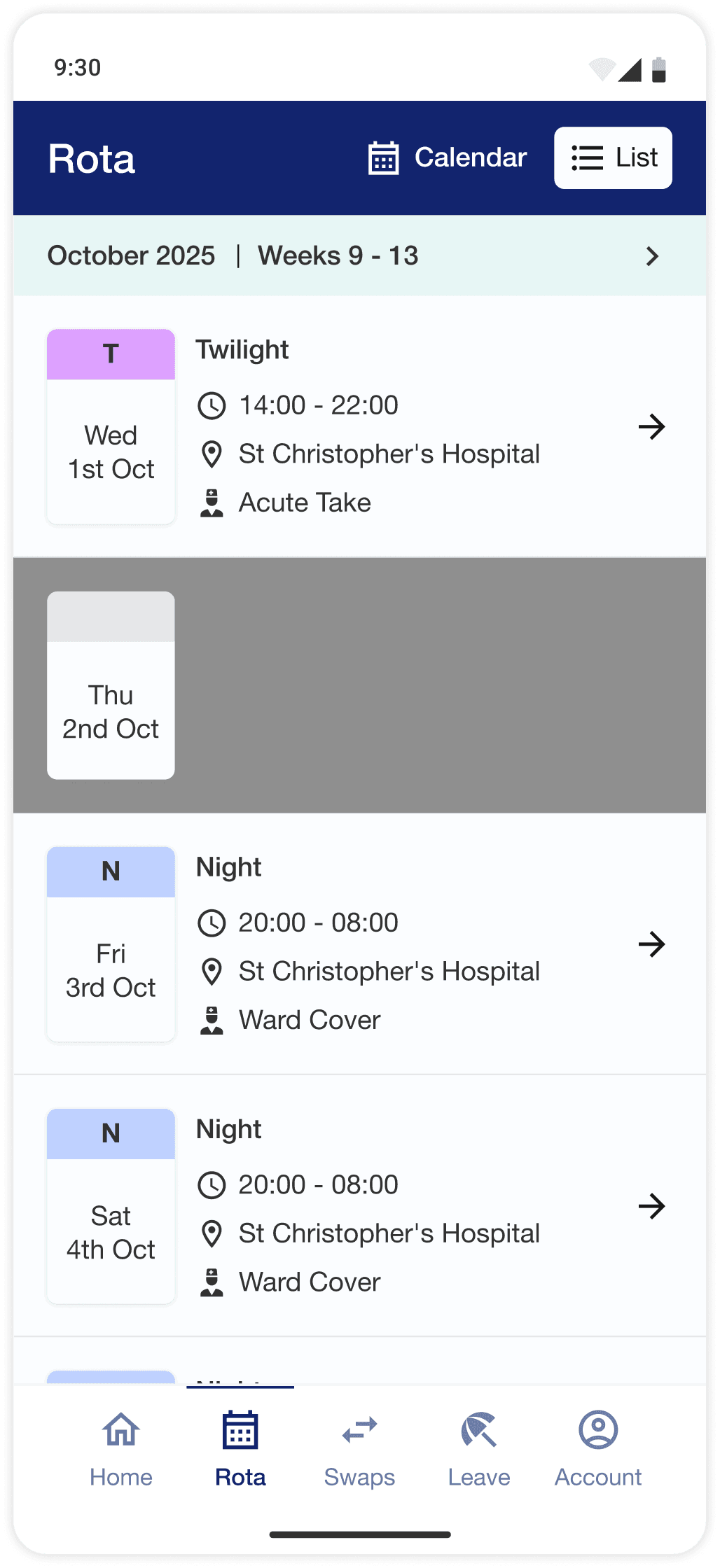
Combines daytime and on-call shifts into a single calendar, reducing the need to manually cross-reference two or more spreadsheets / formats.
Daily, weekly & monthly calendar views
Monthly view to scan shifts at a glance, weekly view for expanded detail, daily view for full detail + further actions.
Colour-coded shift types
e.g. night, late, twilight, annual leave, to allow for rapid scanning of the calendar.
Shift location and role tagging
Each rota entry includes site, ward/clinic/theatre and role (e.g. ward cover, acute take).
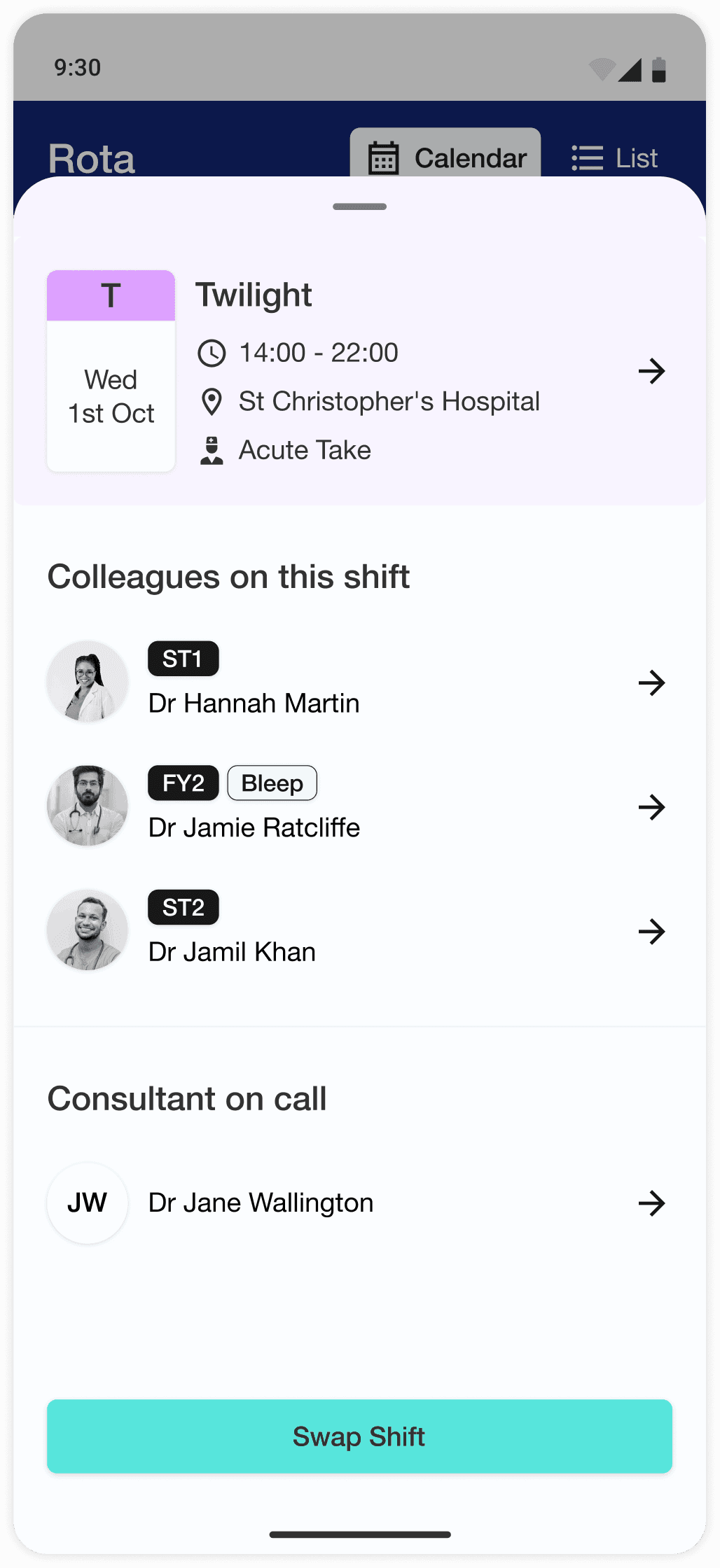
Colleague visibility
Shows colleagues on the same shift, including their role and grade.
Personal calendar integration
Export shifts to iCal, Google Calendar and Microsoft Outlook.
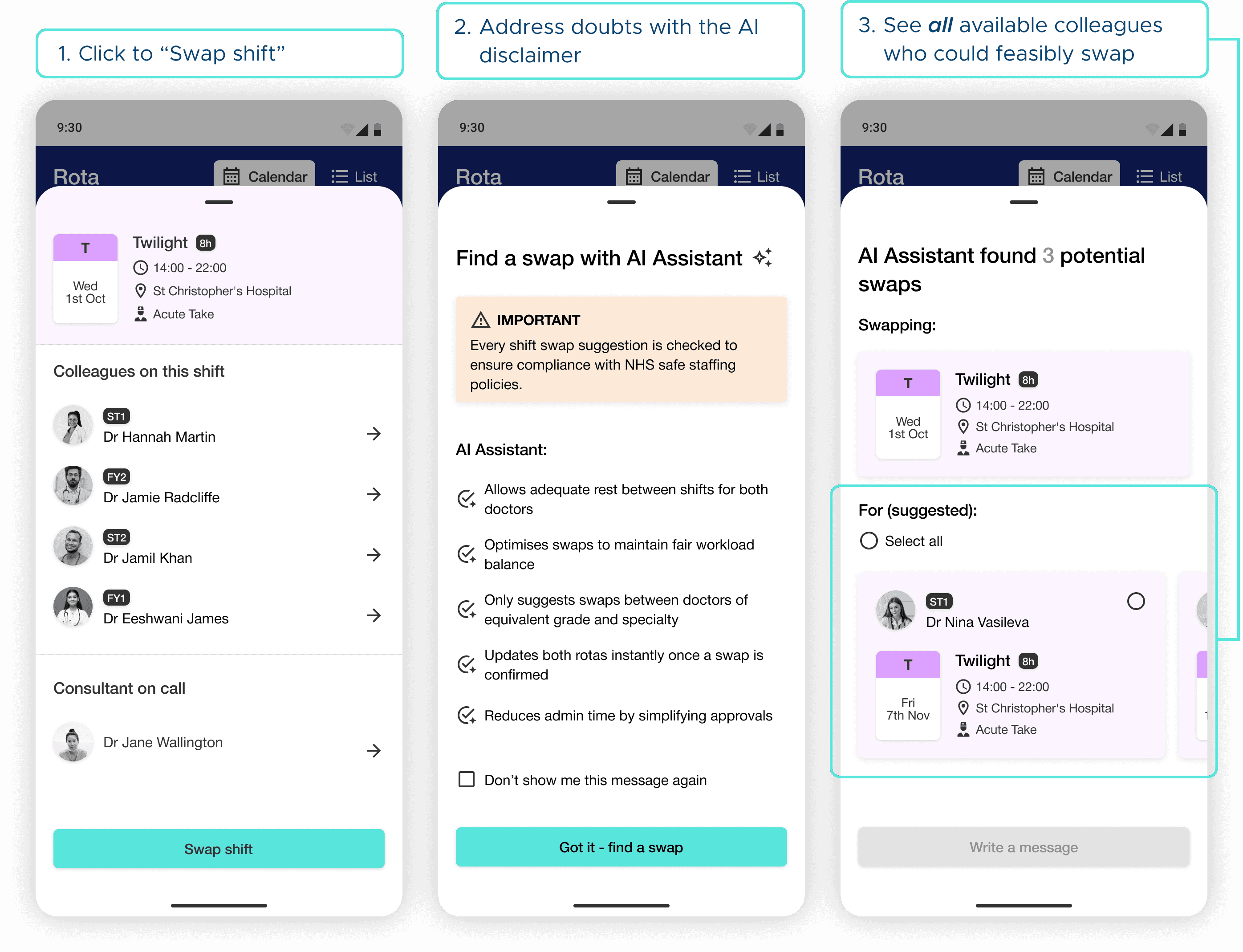
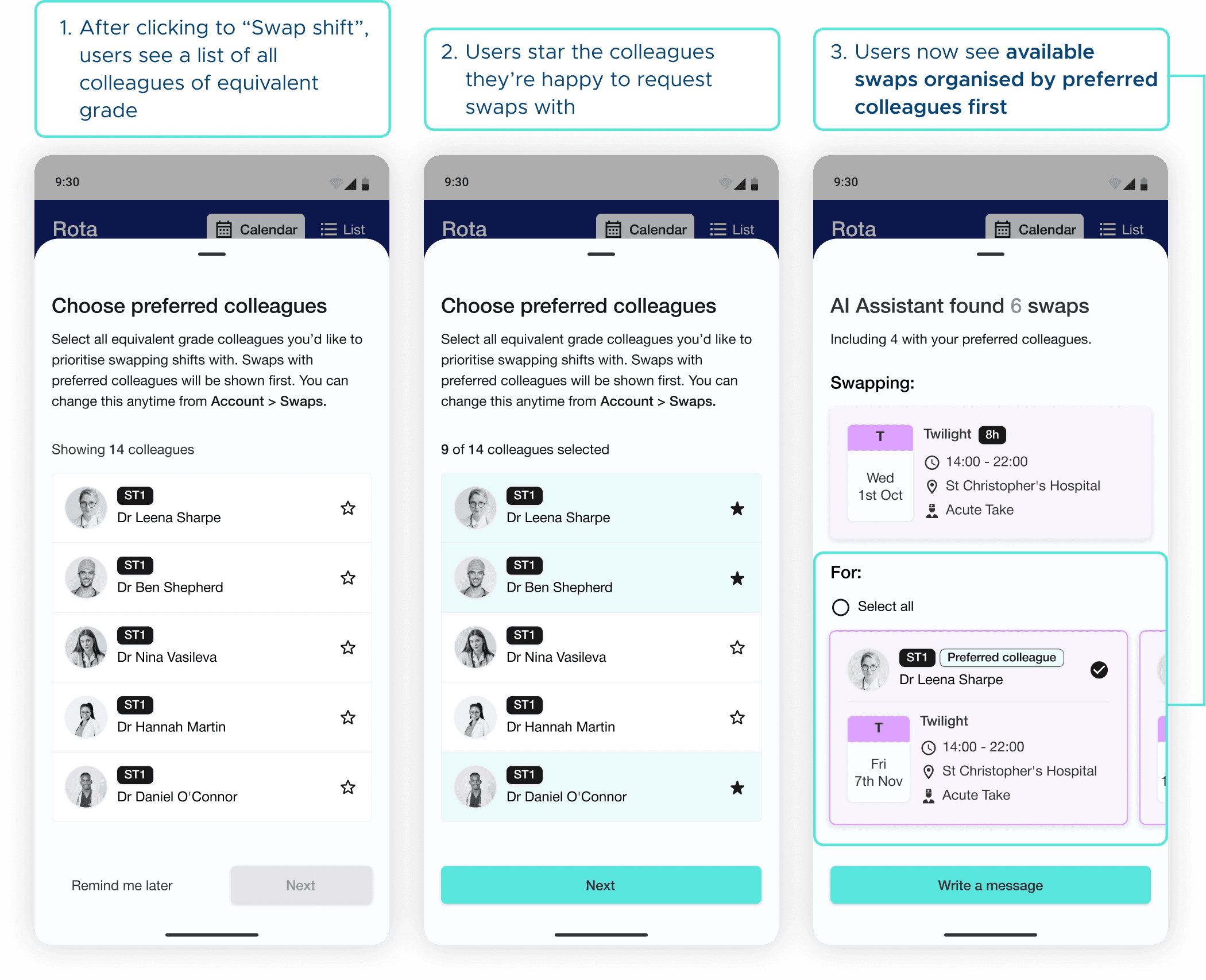
AI-assisted shift swapping
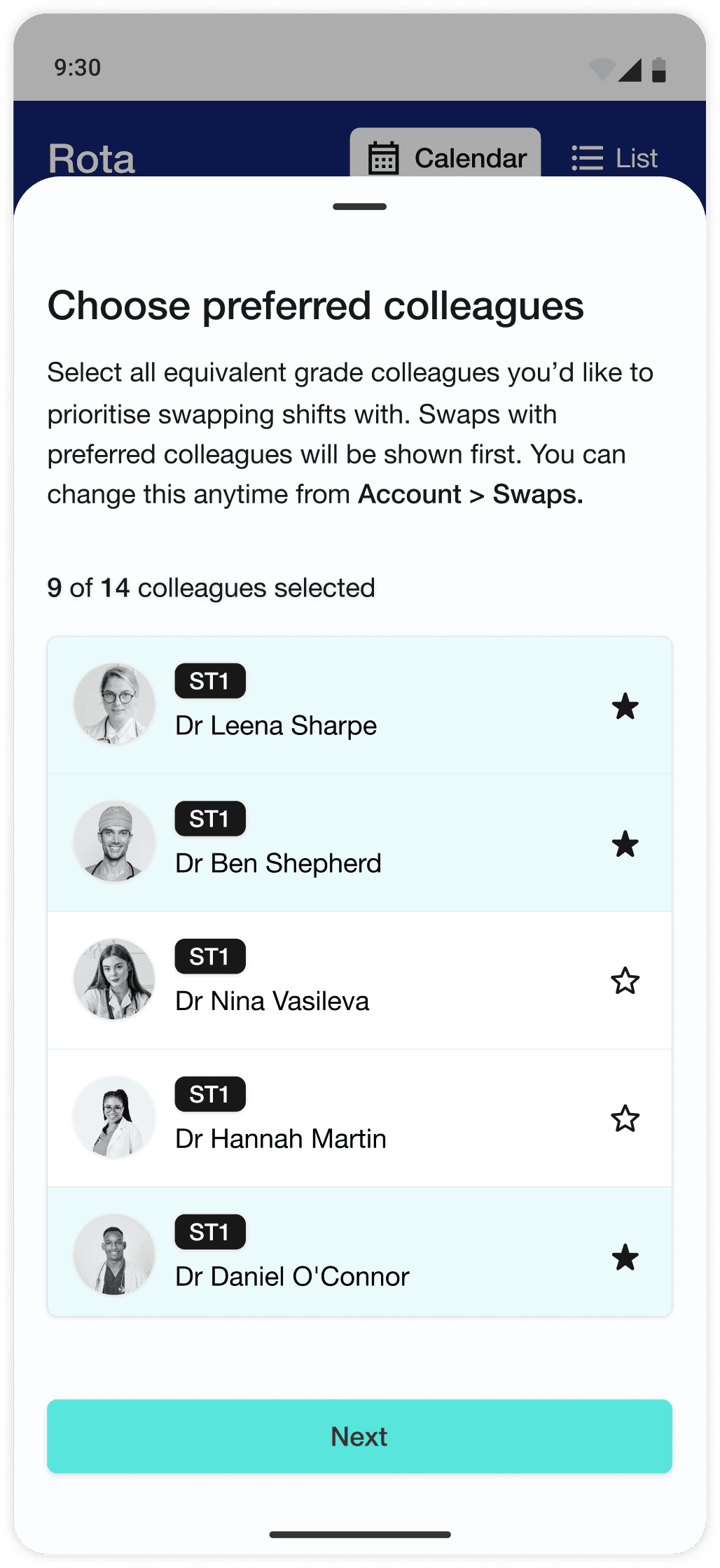
Suggests valid swap options based on rota compliance rules (e.g. rest periods, max nights in a row), ranks best options, and notifies potential swap partners.
Because existing rota apps are locked to hospital networks, I couldn’t study their designs or interactions directly. With few comparable products to benchmark, I explored adjacent patterns instead, analysing how calendar and shift management apps reveal event details, introduce AI, and handle calendar exports.
These insights informed early wireframes that felt both familiar and contextually appropriate for the healthcare environment.
Mid fidelity usability testing
For the unified rota, I needed to find a way to clearly show different shift types without resorting to the visual overwhelm inherent in spreadsheets. I explored widely on paper before settling on two rota layouts to A/B test with users.
The majority of users preferred the scrollable carousel calendar and the spacious list view, so I took these forward into the mid-fidelity usability test.
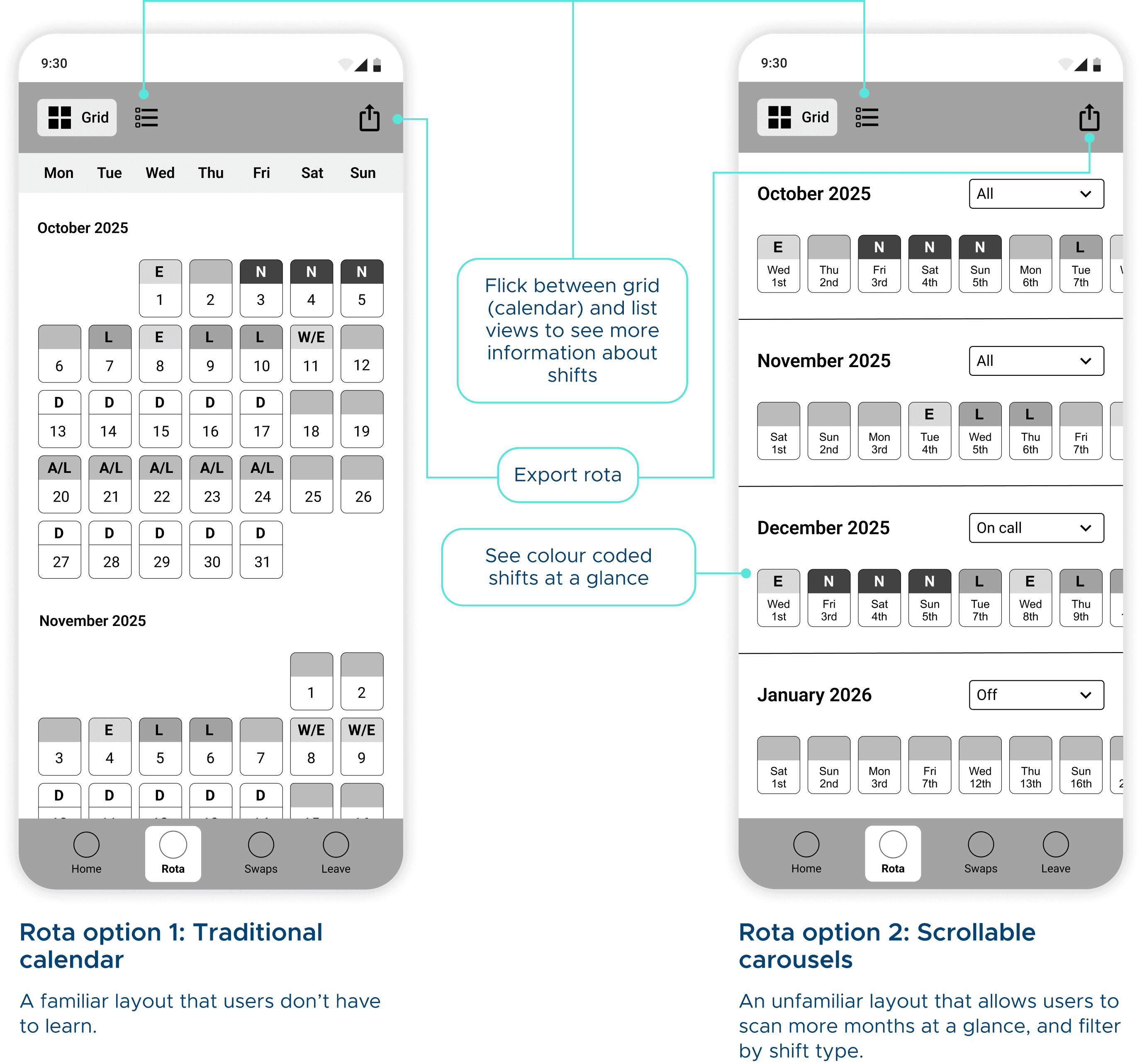
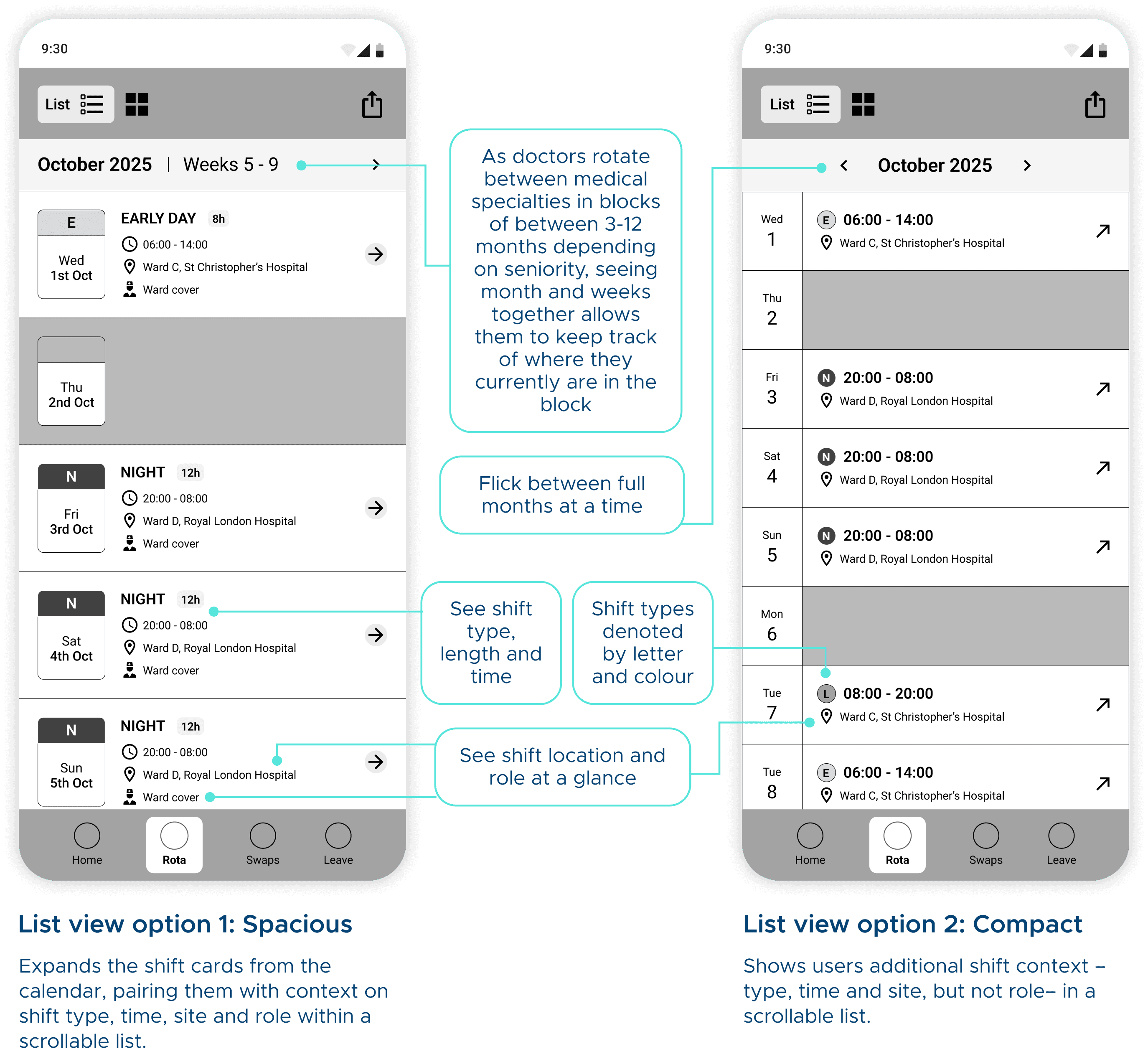
Using the mid-fidelity prototype, I ran remote moderated usability sessions with 5 senior UK doctors.
5/5 users felt the app reduces mental burden compared to existing rota systems
Users described the app as "clear", "streamlined" and "well thought-through"
The AI swap assistant was universally seen as time-saving, intuitive and a major improvement
Iterations round 1
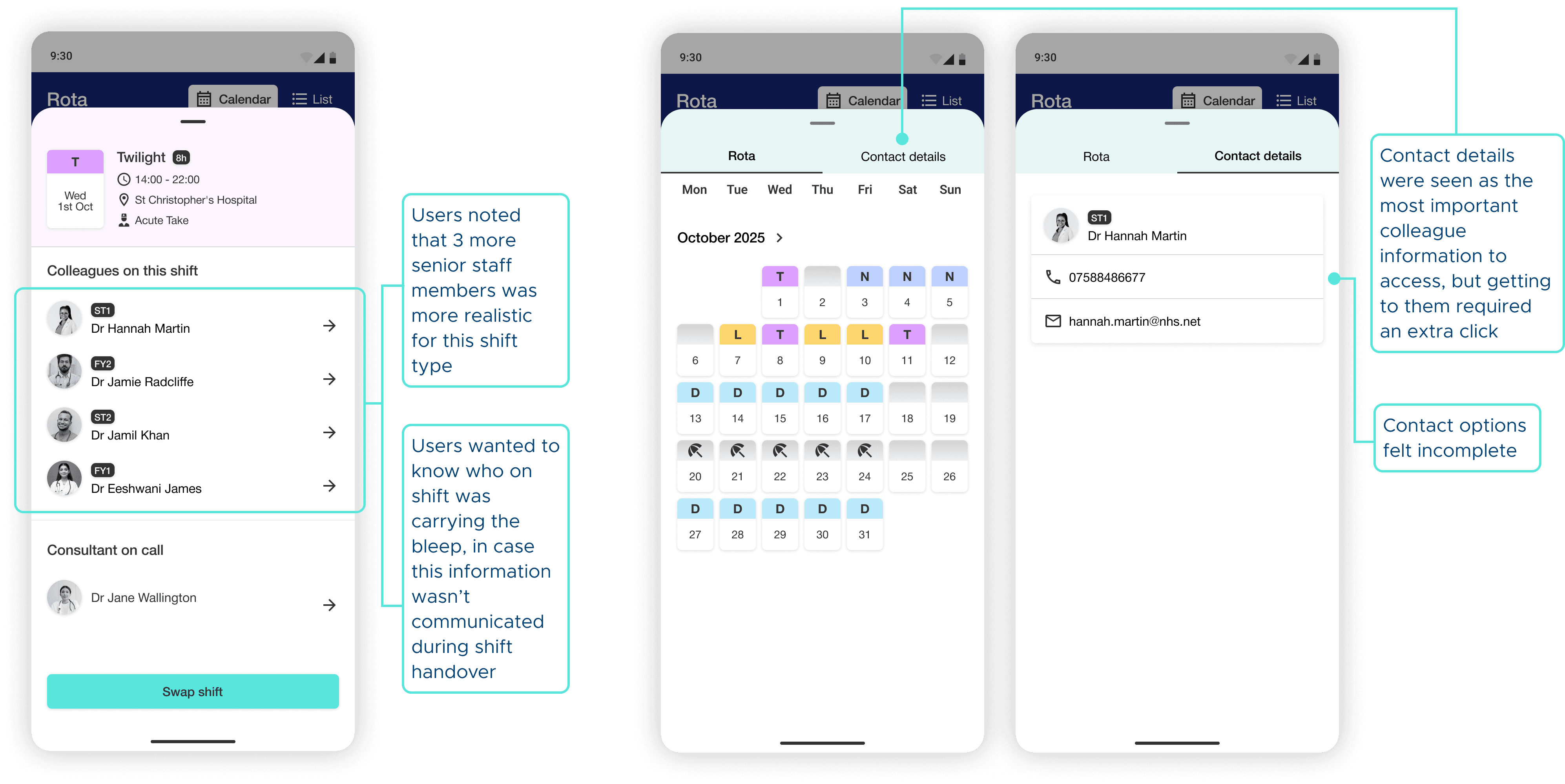
Although no issues with the actual flows came up, users helped me identify areas where the content could be made more representative and useful for the contexts they would experience in real life.
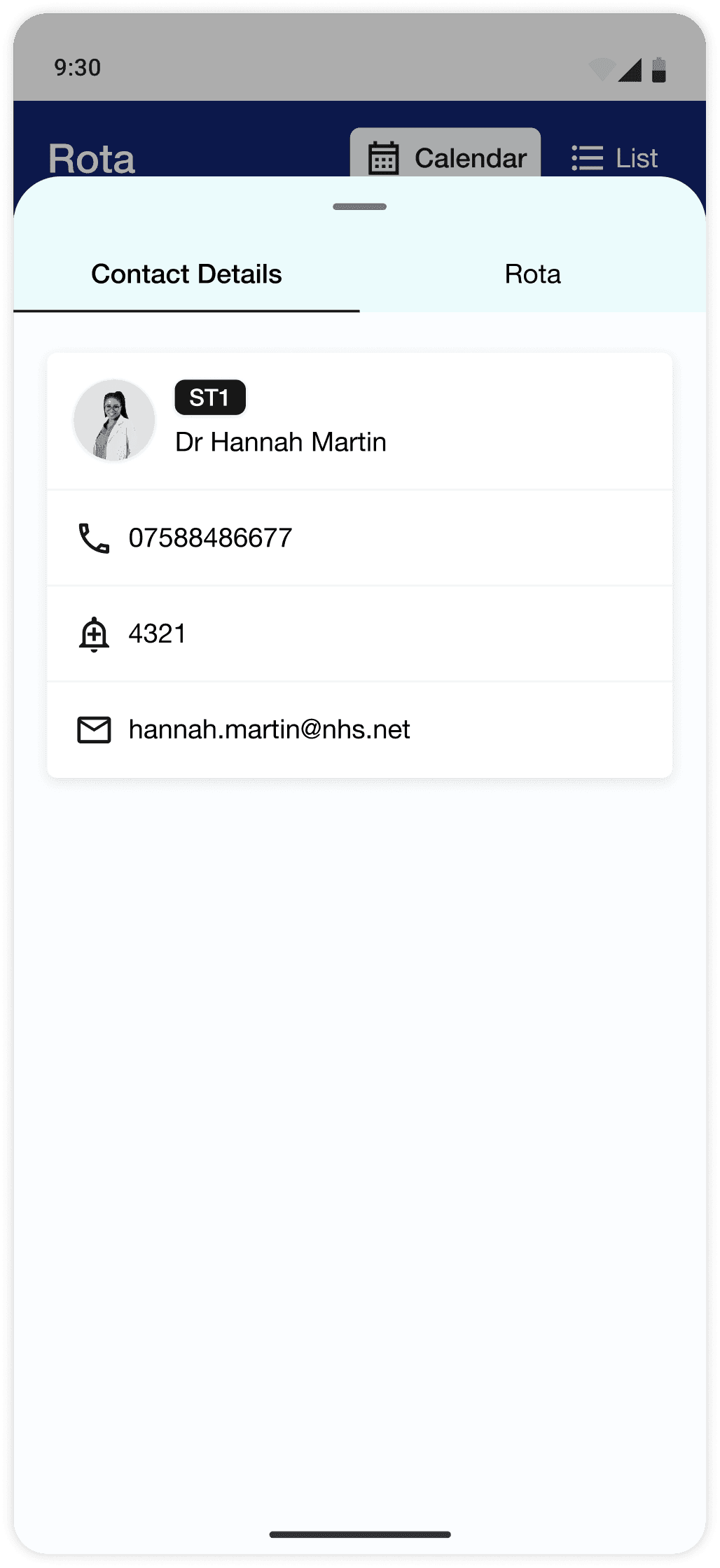
Some users wanted to be able to see their colleague's rota. When clicking on a colleague on the same shift, users can now click between tabs showing their colleague's contact information and their rota.
I replaced early shift types with twilight shifts across the board, as many noted that early shifts were rare, with some never even having worked one.
A couple of users found the export icon ambiguous, so I replaced it with a clearly labelled floating action bar above the rota.
Most felt that the window for being able to accept a swap request was too long, so I shortened it to 48h with an automatic system nudge thereafter.
Hi-fidelity usability testing
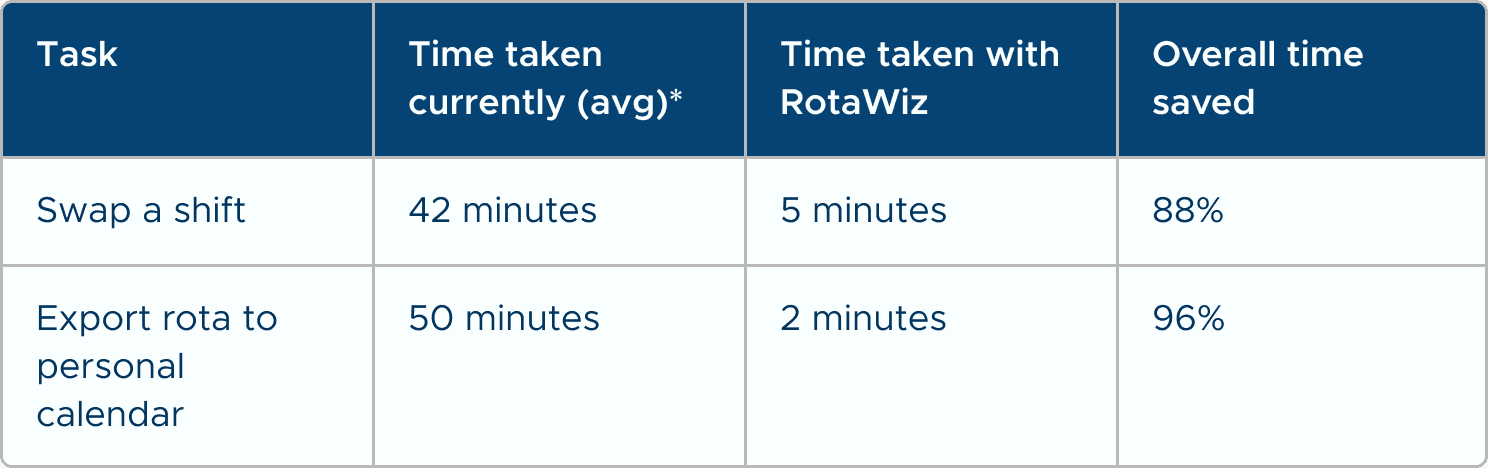
*Average based on self reported time taken to manually complete tasks.
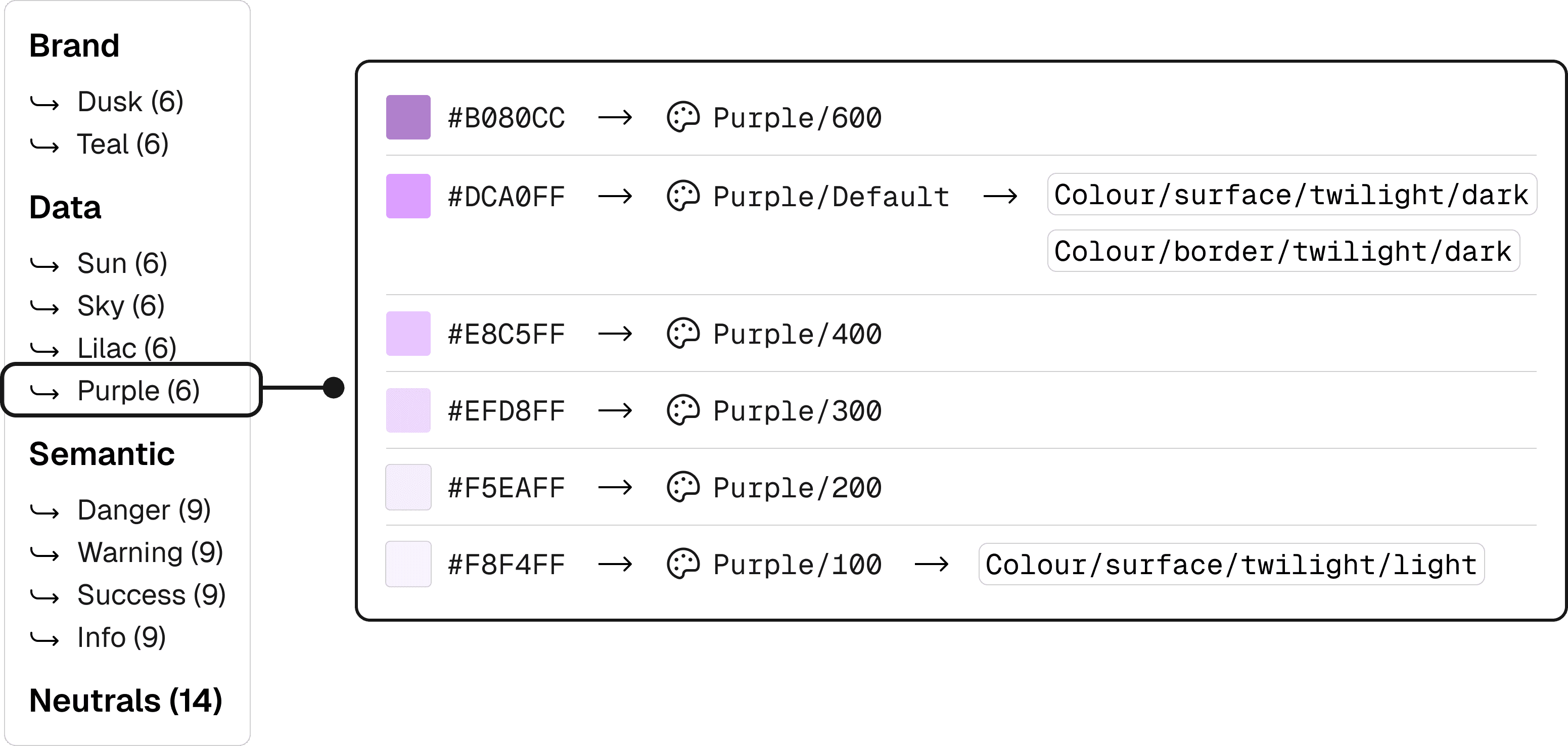
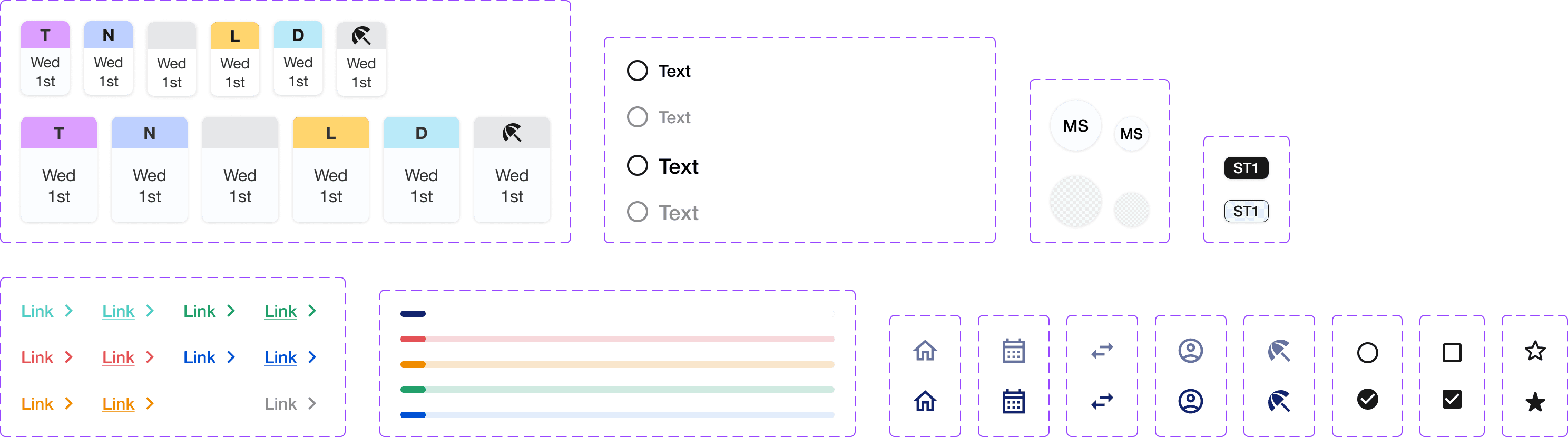
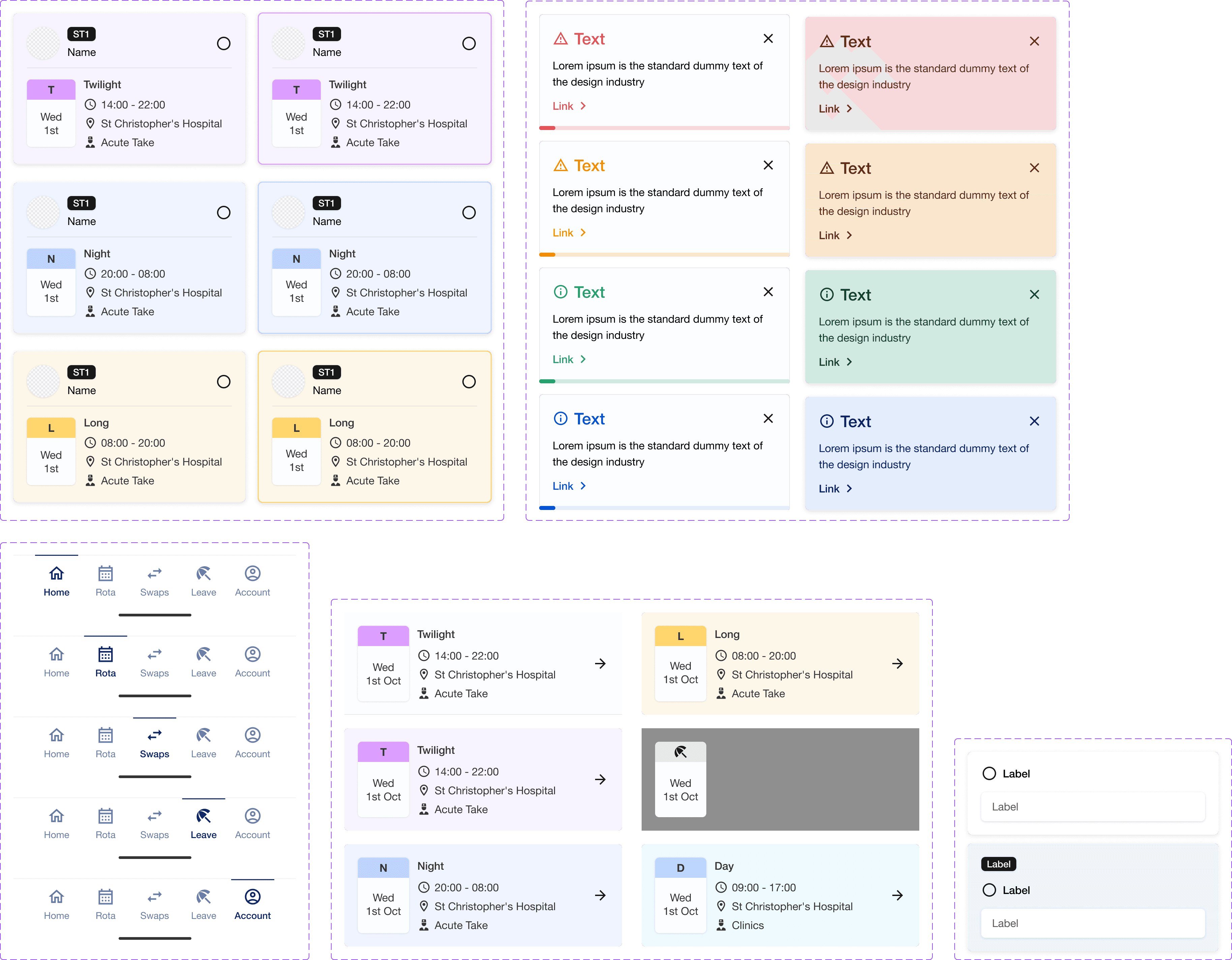
Creating a design system
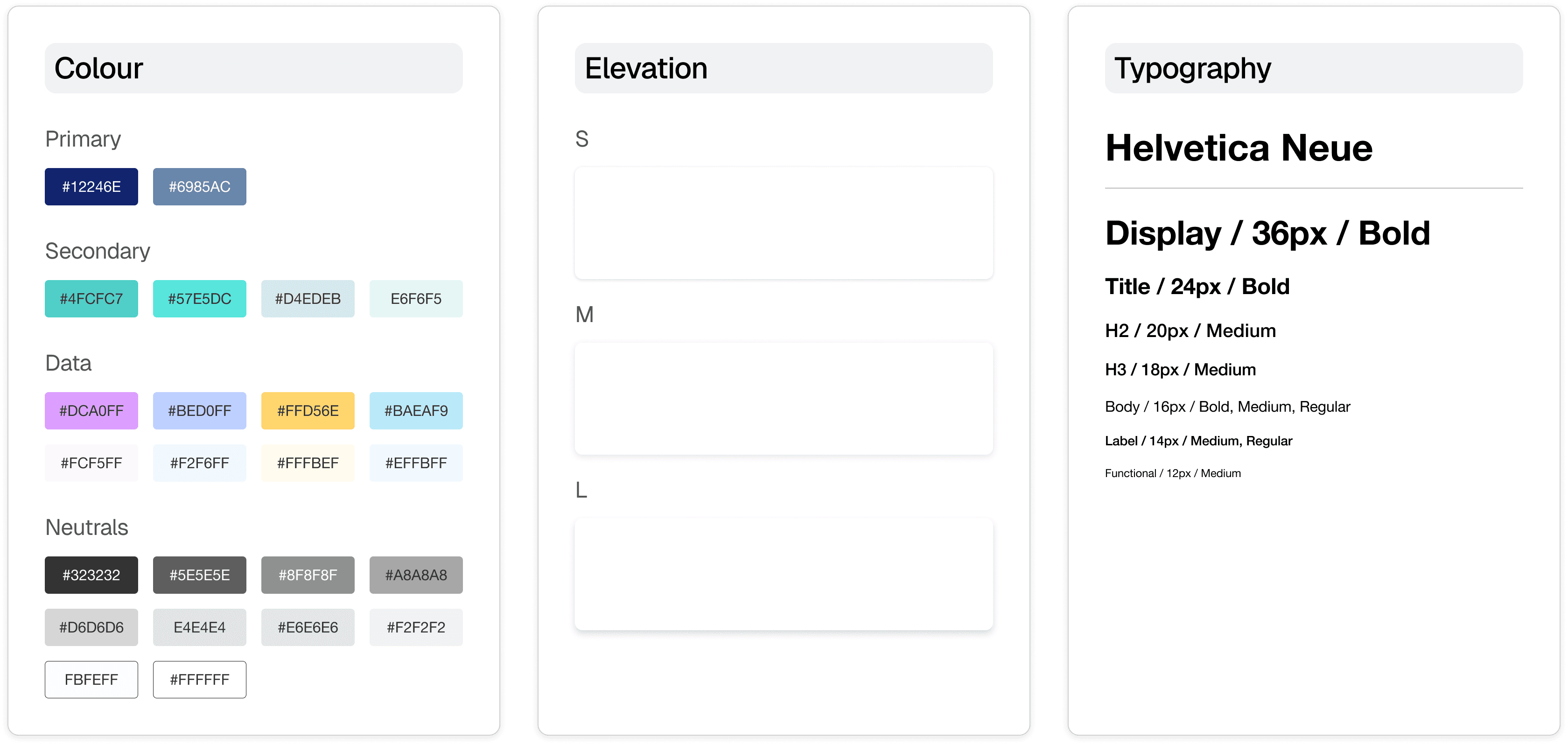
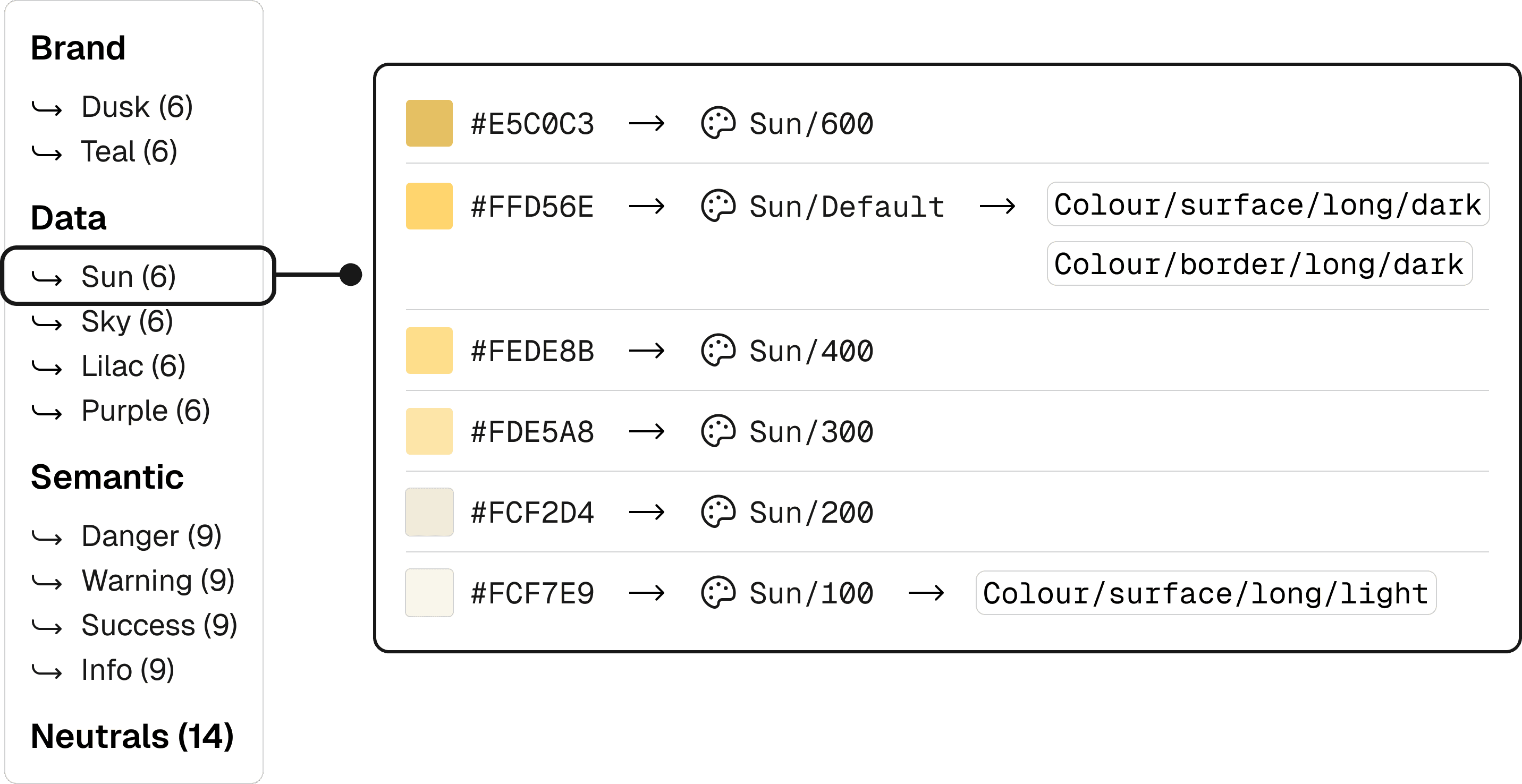

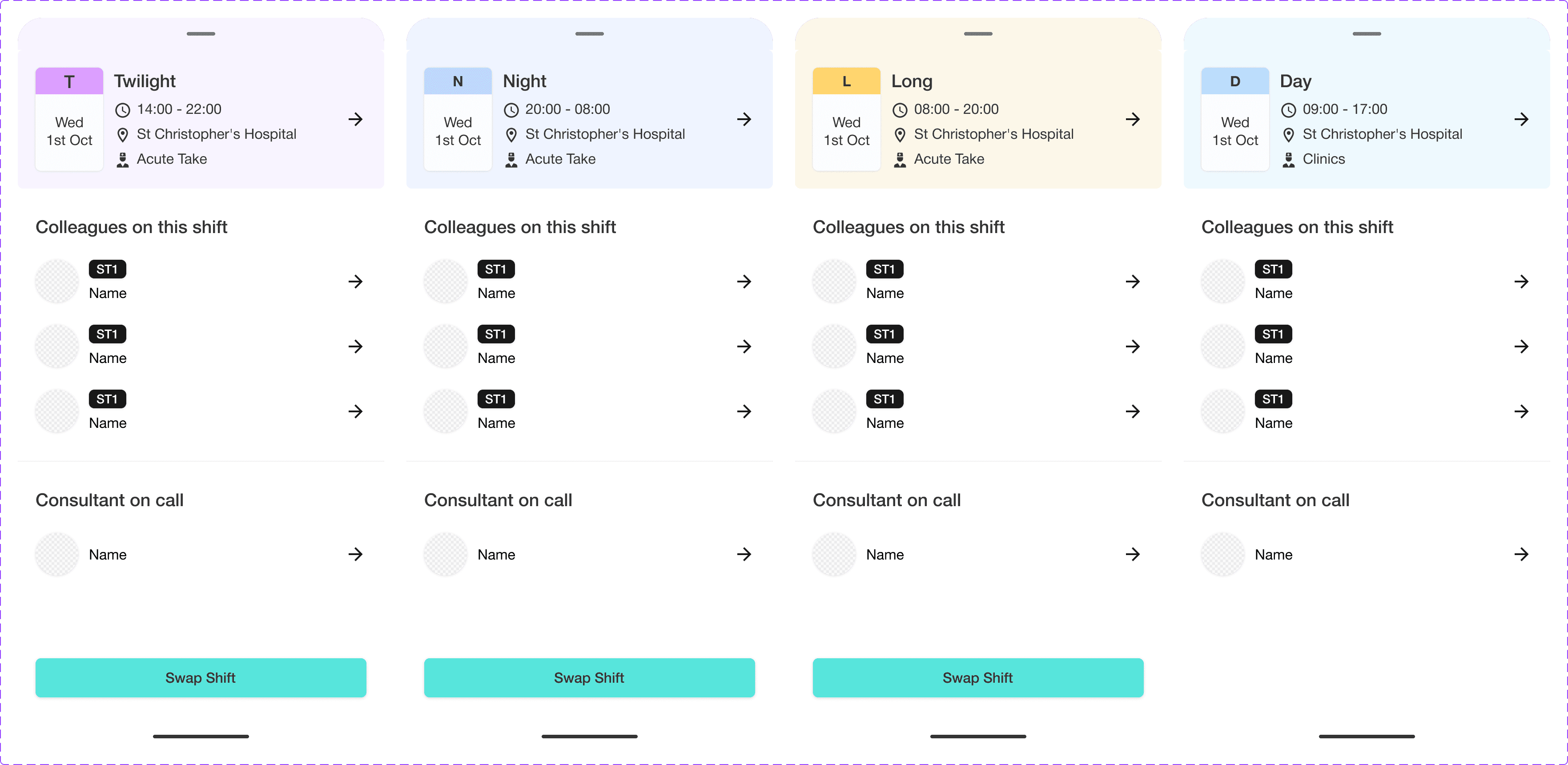
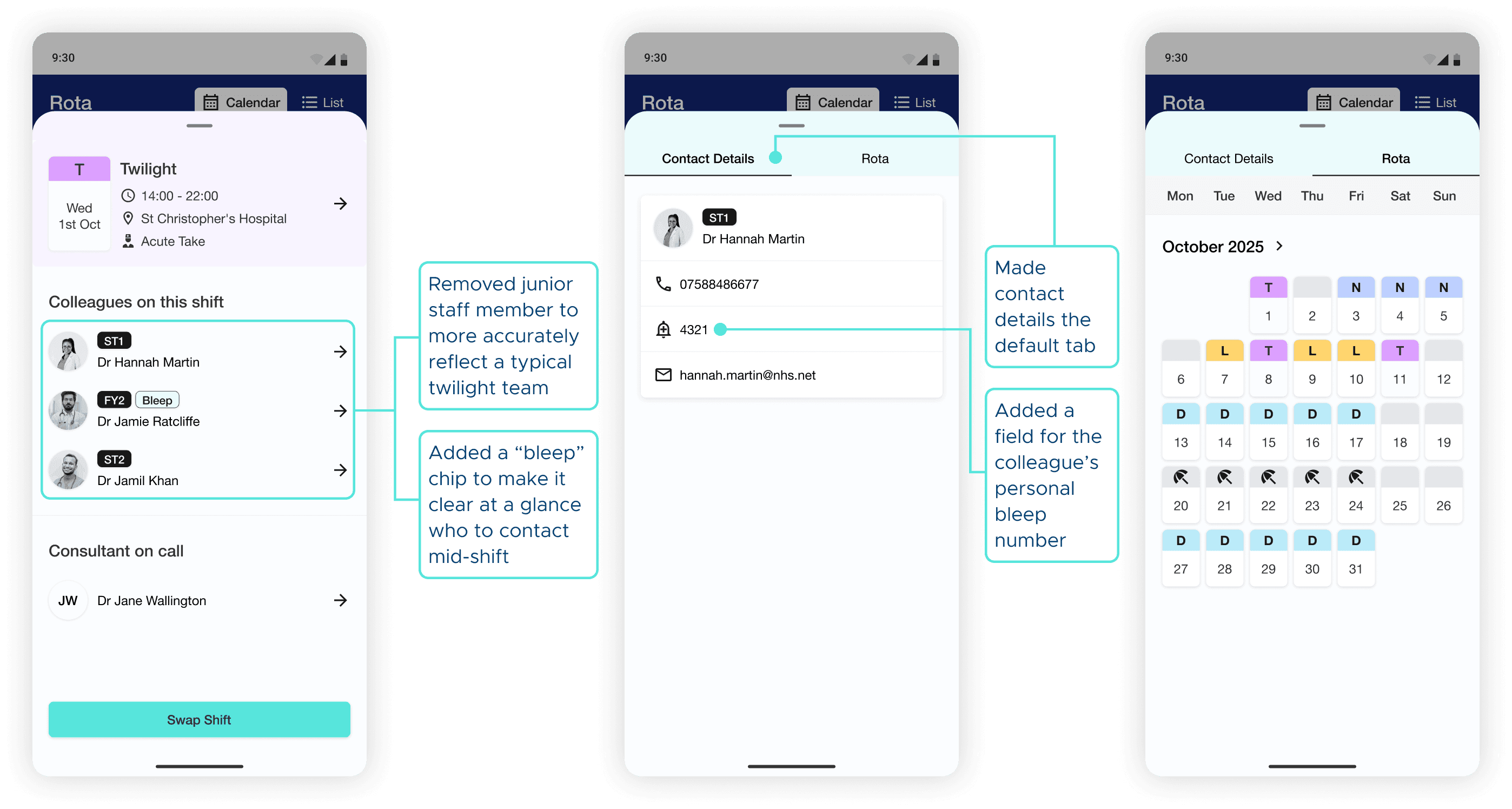
Iterations round 2
A unified, AI-assisted rota experience that brings scattered schedules into one reliable view, automates safe shift swaps, and cuts key admin tasks by up to 96%—reducing cognitive load and giving clinicians back time to focus on patient care and recovery at work, and personal recovery outside of it.